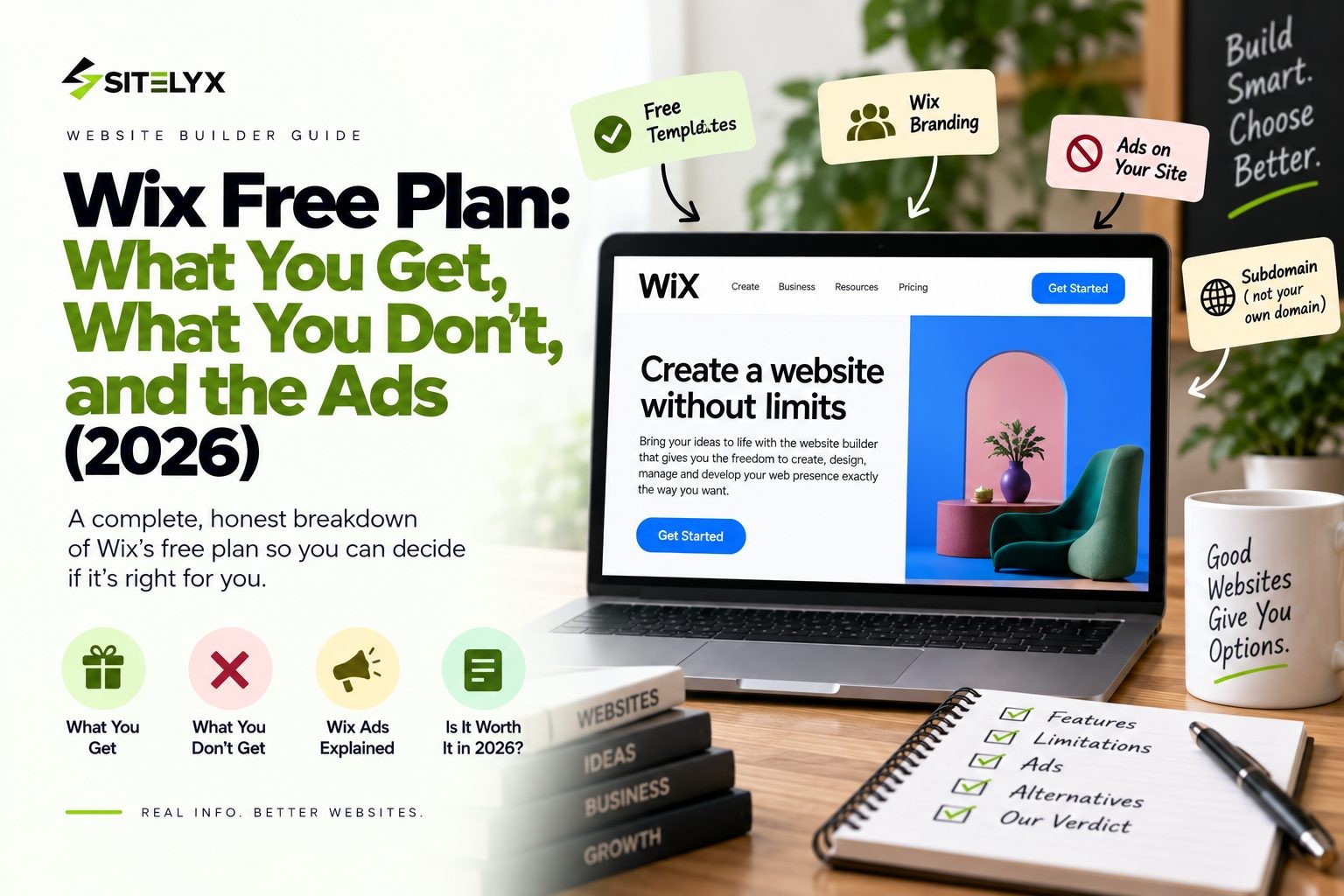
- Hank Addison
- Published:
- Last updated:
- Website Guides
- 0
- 0
The Wix free plan sounds like the perfect deal. You get a real website builder, free hosting, and thousands of templates without paying anything. So what's the catch? Before you spend a weekend building a site, you should know exactly what you're signing up for.
Here is the short version. Yes, Wix has ads on the free plan. Every page of a free Wix site shows a Wix banner ad, and the browser tab shows the Wix logo instead of yours. On top of that, your address will be a long wixsite.com URL, and some important features are locked.
In this guide, we cover what the Wix free plan includes, what the ad banner looks like to your visitors, the limits that matter most, and exactly what it costs to remove the ads. We also look at a free alternative that doesn't show ads at all, so you can pick the right option for your project.
Quick Answer: Wix Free Plan at a Glance
- Is Wix free? Yes. The free plan has no time limit and no credit card is required.
- Does Wix have ads? Yes. A Wix banner ad appears on every page, and the Wix favicon shows in the browser tab.
- Main limits: a wixsite.com address, 500MB storage, 1GB bandwidth, no online payments, and no site analytics.
- Cost to remove ads: the Light plan, at $17 per month billed yearly or $24 per month billed monthly.
- Free with no ads: you can create a free, ad free website on Sitelyx on a clean yourname.sitelyx.co address.
What Is the Wix Free Plan?
The Wix free plan is a permanent free tier of the Wix website builder. It is not a trial that expires after 14 days. You can sign up, build a website, publish it, and keep it online for as long as you like without paying.
You don't need a credit card to get started, either. You create an account, choose a template, and start editing right away.
Many people confuse the free plan with a "Wix free trial." They are two different things. The free plan is the ongoing free version. Wix's paid plans, on the other hand, come with a 14 day money back guarantee, which lets you try a premium plan and get a refund if you cancel within that window. There is no separate timed free trial of the premium features.
So how does Wix pay for millions of free websites? The free plan is its front door. Wix makes money when free users upgrade, and the ads and limits on the free plan are what encourage that upgrade. That isn't a trick. It's a common business model, and it's worth understanding before you decide whether the free version fits your needs.
What You Get on the Wix Free Plan
The Wix free plan is more capable than most people expect, which is exactly why it's so popular. Here is what's included at no cost.
Drag and Drop Editor and 2,000+ Templates
Free users get the same Wix editor as paying customers. You can drag elements anywhere on the page, change fonts and colors, and add sections without writing code. According to Wix, you can choose from more than 2,000 customizable templates, which covers almost every type of site, from portfolios to restaurants. Because the editor is the same one paid users get, anything you build on the free plan carries over when you upgrade.
Free Hosting and SSL Security
Your site is hosted by Wix, so there is no server to set up and nothing to install. The free plan also includes an SSL certificate, which means your site loads over HTTPS and shows the padlock icon in the browser. That matters, because browsers warn visitors about sites that aren't secure.
500MB Storage and 1GB Bandwidth
Every free site gets up to 500MB of storage and up to 1GB of bandwidth. Storage is the space for your images, videos, and files. As a rough guide, 500MB holds around 1,000 web sized photos, but only about 100 to 150 photos straight off a modern phone camera, because those files are often 3MB to 5MB each. Bandwidth covers the data sent to visitors. If each page with images weighs about 2MB, 1GB covers roughly 500 page loads. That works for a small personal site, however it gets tight fast for a photo heavy portfolio.
Basic SEO Tools and Mobile Optimization
You can edit page titles and meta descriptions, and Wix creates a mobile version of your site automatically. These basics help search engines understand your pages. The catch is that you can't see your traffic data on the free plan, so it's hard to know whether your SEO work is paying off. If ranking on Google is your goal, it's worth learning how to start a free blog that ranks on Google.
Wix App Market Access
Free sites can install apps from the Wix App Market, and many of them are free. You can add things like social feeds, forms, and chat widgets. Keep in mind that some apps only work on premium plans or charge their own fees.
Wix AI Tools
Wix offers AI tools on free sites too, including AI site creation and AI text help. If you're starting from a blank page, the AI builder can give you a working first draft in minutes, which you can then edit by hand.
Does Wix Have Ads? The Free Plan Banner Explained
This is the question most people search before committing, so let's answer it directly. Yes, Wix has ads on the free plan, and you can't turn them off without paying.
Where the Wix Ad Appears
Wix's own help center is clear on this. It says that "your free site includes a Wix banner ad at the top and has a Wix favicon in the browser tab." Wix's comparison of free and premium sites also states that "Wix ads appear on every page." So it's not just your homepage. Every page your visitors open carries the banner.
The favicon is the small icon in the browser tab. On a free site, visitors see the Wix logo there instead of your own logo.
What Your Visitors Actually See
The banner promotes Wix and links back to Wix. For a personal project or a class assignment, that's a fair trade for a free website. For a business, however, it sends a signal. Put the ad banner next to a long wixsite.com address, and your site reads as a hobby project rather than an established company. Customers notice these details, and trust is hard to win back once it slips.
The Top Banner vs the "Proudly Created With Wix" Footer
Many tutorials mix up two different things. The first is the banner ad at the top of every page. The second is the "Proudly created with Wix" text often found in template footers. Wix's help center notes that the footer text can be edited at any time on a free site. The top banner ad, on the other hand, can't be removed without upgrading. So if you've deleted the footer credit and still see Wix branding, that's why.
Can You Remove Wix Ads for Free?
No, there is no supported free method. Wix's help article on the banner ad and favicon says that to remove the banner and use your own favicon, you need to upgrade to a premium plan that includes those features.
You'll find tutorials online that promise to hide the Wix banner with custom CSS code or third party "banner remover" tricks. Be careful with these. They aren't supported by Wix, so they can break without warning whenever Wix updates its platform. The banner code also still loads in the background, and hiding the banner does nothing about the wixsite.com address or the Wix favicon in the browser tab. In other words, even if a trick works today, your site still looks like a free Wix site.
That leaves two real ways to get rid of the ads. You can pay for a Wix premium plan, or you can use a website builder whose free plan doesn't show ads in the first place.
What You Don't Get on the Wix Free Plan
The ads are the most visible limit, however they aren't the only one. Wix's own comparison of free and premium sites lists several features that free sites can't use. These are the limits that push most people to upgrade.
No Custom Domain
A free Wix site lives at an address like siteprefix.wixsite.com/siteaddress. You can't connect your own domain, such as yourbusiness.com. That makes your address harder to remember, harder to put on a business card, and less trustworthy to customers. All paid plans let you connect a custom domain and include a free domain for the first year.
No Ecommerce or Online Payments
Online payments are not included on the free plan. You can't run an online store, sell digital products, or take payments for services. Wix's ecommerce features start on the Core plan, which costs $29 per month billed yearly.
No Site Analytics or Google Analytics
Free sites don't include site analytics, and you can't connect Google Analytics. That means you can't see how many people visit, where they come from, or which pages they read. Without that data, improving your site becomes guesswork.
Tight Storage and Bandwidth Caps
The 500MB storage and 1GB bandwidth limits are small by modern standards. Paid plans start from 2GB of storage and include unlimited bandwidth, so a growing site will hit the free ceiling quickly.
No Custom Favicon
The Wix logo stays in the browser tab on every page. You can't swap in your own icon until you upgrade.
No Booking or Scheduling
If you run a salon, a consultancy, or any appointment based business, the free plan won't let you take bookings. Wix's scheduling features come with the Core plan and above.
Standard Support Only
Free users get standard support. Paid plans include 24/7 customer care, and some tiers add priority support.
Not Built for a Real Business Presence
Put together, these limits make the free plan a starting point rather than a long term home for a business website.
Wix Free Plan vs Paid Plans: Side by Side
Here's how the free plan compares with the three most popular Wix premium plans. Prices are shown for both yearly and monthly billing, because the monthly price is what you actually pay if you don't commit for a full year.
| Feature | Free | Light | Core | Business |
|---|---|---|---|---|
| Price (billed yearly) | $0 | $17/mo | $29/mo | $39/mo |
| Price (billed monthly) | $0 | $24/mo | $36/mo | $46/mo |
| Wix ads | On every page | Removed | Removed | Removed |
| Custom domain | No | Yes | Yes | Yes |
| Storage | 500MB | 2GB | 50GB | 100GB |
| Online payments | No | No | Yes | Yes |
| Scheduling | No | No | Yes | Yes |
| Site analytics | No | Yes | Yes | Yes |
| Support | Standard | 24/7 | 24/7 | 24/7 |
Reading the table, the pattern is clear. Light is the "remove the ads" plan. It gets rid of the banner, lets you connect a domain, and gives you more storage, but you still can't sell anything or take bookings.
Core is the "run a business" plan. It adds online payments and scheduling, which is why most small businesses end up there.
There is also a Business Elite plan at $159 per month billed yearly, or $172 per month billed monthly, aimed at larger stores. You can check current Wix premium pricing for the latest figures, since prices can change.
How Much Does It Cost to Remove Wix Ads?
The cheapest way to remove Wix ads is the Light plan. It costs $17 per month billed yearly, which is $204 per year, or $24 per month billed monthly, which adds up to $288 per year.
For that price, the banner disappears, your own favicon replaces the Wix logo, and you can connect a custom domain. However, Light still leaves out ecommerce and scheduling. So if you plan to sell products or take bookings, Light won't be enough.
For most small businesses, the real cost of a Wix site is the Core plan at $29 per month billed yearly, which is $348 per year. That's the tier where payments and scheduling come in.
Two more details are worth knowing. First, Wix offers a 14 day money back guarantee on premium plans, so you can upgrade and still get a refund if it isn't right for you. Second, the free domain included with paid plans only lasts for the first year. After that, it renews at the normal domain price, which adds to your yearly cost.
Who the Wix Free Plan Is Actually Good For
The Wix free plan works well in a few situations:
- Testing Wix before paying. You can explore the editor and templates with no risk.
- Students and class projects. A free site is perfect for an assignment or a school portfolio.
- Personal hobby sites. Family pages, fan pages, and personal blogs don't need a custom domain.
- Building a draft to upgrade later. You can build the whole site for free and pay only when you're ready to launch.
- Practicing web design. It's a good place to learn layout and design basics.
If you're still deciding what kind of site you need, this list of types of websites you can build for free can help you narrow it down.
The free plan is not a good fit for anyone who is selling, taking bookings, or representing a business. In those cases, the ads and the wixsite.com address work against you.
When You Should Upgrade (or Switch)
Watch for these signs that you've outgrown the Wix free plan:
- You need your own domain. A branded address matters once customers start finding you.
- You want to take payments or bookings. The free plan can't do either.
- You need traffic data. Without analytics, you can't tell what's working.
- You're running out of storage. 500MB fills up quickly with photos and video.
- The ad banner is costing you trust. If customers are judging your business by your website, the banner is a problem.
At that point, you have two choices. You can upgrade to a Wix premium plan and accept the higher monthly cost, or you can switch to a platform whose free or low cost tier fits your needs better.
How to Start a Wix Free Site in 5 Steps
If the free plan suits your project, getting started is quick:
- Sign up at Wix. Create an account with your email. No credit card is needed.
- Pick a template or use the AI builder. Choose a design that matches your site, or let the AI create a first draft.
- Edit your pages. Replace the demo text and images with your own content in the editor.
- Publish your site. It goes live on your free wixsite.com address.
- Upgrade later if you need to. When you're ready, you can upgrade the same site and keep all your work.
If you'd like to compare this with another platform, here's a step by step guide to building a free website on Sitelyx.
A Free Website Without Ads: Sitelyx as an Alternative
If the ad banner is the dealbreaker for you, Sitelyx is worth a look. Sitelyx is a hosted website builder and CMS with a permanent free plan. You don't need a credit card, and it isn't a trial.
Every free site gets a clean subdomain in the format yourname.sitelyx.co, and Sitelyx describes its free websites as ad free. You get access to all 18 templates, which are built around specific business types such as salons, restaurants, hotels, events, consultancies, and portfolios. You manage everything from one admin panel at /admin-home, including pages, blog posts, media, menus, and SEO settings.
The free plan has limits too, and it's fair to be clear about them. It covers 1 website with up to 5 pages, and it doesn't include a custom domain or ecommerce. The difference is the upgrade cost. Sitelyx's Growth plan adds a custom domain and up to 20 pages for $4 per month, compared with $17 per month for Wix Light. Both Sitelyx paid plans come with a 10 day free trial that doesn't require a card.
| Feature | Wix Free | Sitelyx Free |
|---|---|---|
| Ads on your site | Yes, on every page | No, described as ad free |
| Free address | siteprefix.wixsite.com/siteaddress | yourname.sitelyx.co |
| Pages | No free plan cap stated by Wix | Up to 5 |
| Templates | 2,000+ | 18, business specific |
| Cheapest custom domain upgrade | $17/mo (billed yearly) | $4/mo |
You can compare Sitelyx free and paid plans or browse all 18 Sitelyx templates to see if one fits your business.
Frequently Asked Questions
Conclusion
The Wix free plan is a real, capable way to build a website without paying. You get the full editor, thousands of templates, hosting, and SSL. However, it comes with clear trade offs: a Wix banner ad on every page, a long wixsite.com address, tight storage, and no payments or analytics.
For testing, class projects, and personal sites, those trade offs are easy to live with. For a business, you should budget for at least the Light plan, and more realistically Core.
If you want a free site without ads and a cheaper path to your own domain, create a free, ad free website on Sitelyx and have it live on your own subdomain today.
No Tags
Login to Leave a Comment
Related Blog
- 21 Sep 2026
- 1
- 0 Comment
Wix Free Plan: What You Actually Get (and What You Don`t)
Is the Wix free plan worth it? See what's included, whether Wix has ads, the real limits, and what it costs to remove the Wix banner in 2026.
- 19 Sep 2026
- 7
- 0 Comment
Wix vs Squarespace vs Sitelyx: Honest 2026 Comparison
Comparing Wix vs Squarespace in 2026? We break down real pricing, templates, transaction fees, and SEO, plus a cheaper alternative most people miss.
- 13 Sep 2026
- 18
- 0 Comment
Best Squarespace Alternatives for Small Budgets (2026)
Looking for Squarespace alternatives that cost less? Compare the best free and affordable website builders in 2026, including Sitelyx free plan, Wix, Hostinger, and more.
Comments (0)