-
 dexter
- Published:
- Last updated:
- Website Guides
- 139
- 0
Introduction
A restaurant without a website in 2026 is leaving real money on the table. According to an MGH survey of over 1,100 U.S. diners, 77% of people visit a restaurant's website before they decide to dine in or order takeout. Even more telling, nearly 68% of those same diners say a poor website has actively discouraged them from visiting a restaurant entirely.
Your website is not just a digital brochure. In 2026, it is a direct revenue tool that handles reservations, showcases your menu, builds trust with first-time visitors, and helps customers find you in local Google searches.
The challenge is that most restaurant owners are already stretched thin. Between managing staff, inventory, service, and operations, spending weeks learning a complicated website platform or paying hundreds of dollars per month for a bloated tool simply is not realistic.
That is why choosing the right website builder matters so much. The best website builder for restaurants gives you a professional, functional website fast, without requiring coding skills, technical knowledge, or a big upfront investment.
This guide compares the top restaurant website builders in 2026, evaluates them on what actually matters for food businesses, and includes options with a free plan so restaurants of every size can get started without any risk.
What Makes a Website Builder Good for Restaurants?
Not every website builder is built with restaurant owners in mind. A tool that works well for a freelancer or a software company may fall completely flat for a restaurant that needs to display a menu, take bookings, and appear in local search results.
Before diving into the platform comparisons, here are the core criteria that separate a good restaurant website builder from a generic one.
Online menu display. Your menu must be real, readable text on a webpage, not a PDF download or a photo of a printed sheet. Search engines cannot read PDFs or images, which means an image-based menu actively hurts your local SEO. A text-based menu page helps Google understand what you serve and surfaces your restaurant in relevant searches.
Reservation and booking tools. At minimum, a contact form that accepts booking requests is essential. Integrated reservation systems or third-party booking widgets like OpenTable or Resy take this further and let customers book a table directly from your website.
Online ordering capability. Third-party delivery apps like DoorDash and Uber Eats charge 20 to 30% commission on every order. A website with direct online ordering keeps that revenue with the restaurant. Some builders include ordering tools natively while others allow third-party embeds.
Mobile responsiveness. Most restaurant searches happen on a smartphone. A website that looks broken or loads slowly on mobile loses potential diners before they ever see the menu. Mobile performance is also a Google ranking factor for local search.
Local SEO tools. The ability to set custom meta titles, meta descriptions, and location-based content for every page is essential for appearing in searches like "Italian restaurant in Chicago" or "brunch near me."
Ease of use. Updating a menu price or changing hours should take two minutes, not a call to a web developer. The best restaurant builders let non-technical owners make changes independently at any time.
Speed of setup. Getting online fast matters. A builder that requires weeks of work before a site is live is not practical for a busy restaurant team.
Pricing and free plan availability. Many builders advertise a low starting price but lock restaurant-specific features like menus, ordering, and reservations behind expensive paid plans. Understanding the true cost before committing saves a lot of frustration later.
Does Your Restaurant Really Need Its Own Website?
Many restaurant owners rely on Google Business Profile, Yelp, TripAdvisor, and third-party delivery apps to attract customers. These tools are useful, but they are not a substitute for owning your own website.
Here is why.
Third-party delivery platforms charge 20 to 30% commission on every order placed through them. A restaurant doing $10,000 per month in delivery revenue can lose $2,000 to $3,000 per month to platform fees alone. A website with direct online ordering eliminates that cost and puts the full margin back in your pocket.
Beyond commissions, third-party platforms own the customer relationship. The diner who orders through Uber Eats is an Uber Eats customer, not yours. You cannot email them, market to them, or build loyalty with them. A restaurant website lets you capture customer data, build an email list, and create direct relationships with the people who eat your food.
Your website is also the only online channel you fully control. Google Business Profile listings can be suspended or edited by strangers. Yelp reviews can influence perception in ways you cannot manage. A website is yours, and the brand experience it delivers is entirely in your hands.
Finally, a restaurant that does not show up with a real website when a diner searches for it online simply looks less credible than competitors who do. In a market where 77% of diners research online before visiting, the absence of a proper website is a competitive disadvantage every week.
Build your restaurant website on Sitelyx and start establishing your own online presence today.
Best Website Builders for Restaurants in 2026: Full Comparison
The platforms below were evaluated on six criteria: menu display, booking and ordering tools, local SEO features, ease of use, mobile performance, and pricing transparency. Each one suits a different type of restaurant depending on budget and goals.
Sitelyx is highlighted as the recommended option for restaurants that want a clean, fast, beginner-friendly CMS with a genuinely free plan and no complicated setup.
Sitelyx: Best Free Website Builder for Restaurants
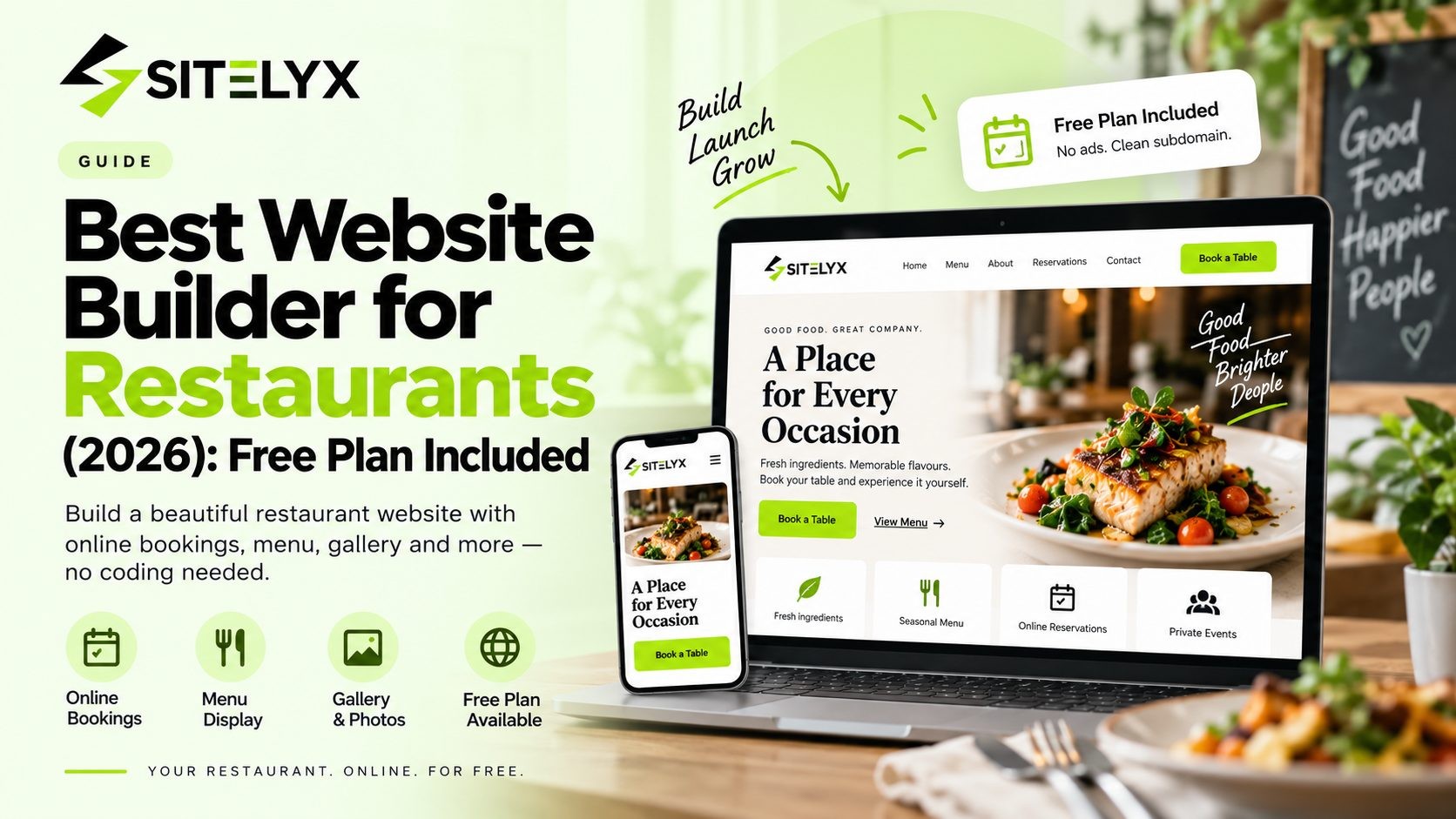
Sitelyx is the strongest choice for restaurant owners who want a real, professional website without paying monthly fees upfront or spending hours learning a complicated tool. It is a hosted website builder and CMS that handles everything from hosting to content management so restaurant owners can focus on what they do best.
How Sitelyx works for restaurants
When a restaurant owner signs up and creates a website, Sitelyx builds a separate tenant website for them immediately. That website gets a free subdomain right away, for example yourrestaurant.sitelyx.co, which is live and accessible on the internet from day one. Everything about the website is managed from the Sitelyx admin panel at /admin-home, including pages, menus, blog posts, images, navigation, and SEO settings.
There is no hosting to configure, no cPanel, no FTP access, and no code to write at any stage.
What restaurant owners can build with Sitelyx
Sitelyx provides ready-made templates that restaurant owners can choose from and customize through the visual admin panel. The template acts as the starting point and every section is replaced with the restaurant's own content: name, photos, menu items, hours, location, and contact details.
Key pages a restaurant can build on Sitelyx:
- Home page: first impression, hero image, headline, and call-to-action
- Menu page: real text-based menu that Google can read and index, organized by category
- About page: restaurant story, team, values, and history
- Contact page: address, phone number, hours, Google Maps embed, and contact form
- Blog page: publish content to build organic local search traffic over time
- Reservations: a booking request form or embedded third-party reservation widget
Media library for food photography
Sitelyx includes a built-in media library inside /admin-home where restaurant owners can upload all images including food photography, logo, interior shots, staff photos, and promotional banners. Images are selected directly from the media library when editing any page or post. No external image hosting is needed.
SEO settings for local search
Every page and blog post has dedicated SEO fields in the Sitelyx admin panel. Restaurant owners can add a custom meta title and meta description for each page, which is essential for appearing in local search results. A homepage meta title like "Authentic Thai Restaurant in Austin — Dine In and Takeout" directly targets the kind of searches potential customers use to find restaurants in the area.
Blog for long-term organic traffic
The built-in blog section in /admin-home lets restaurant owners publish content about seasonal menus, local events, new dishes, and cooking stories. Even two or three blog posts per month can build meaningful keyword coverage and organic traffic over time.
Pricing and free plan
Sitelyx offers a free plan that gives access to the admin panel, templates, CMS features, and a live website on a free subdomain without requiring a credit card. Upgraded plans add features including custom domain support for restaurants ready to move to a branded web address. View the full Sitelyx pricing and free plan details to see what each tier includes.
Best for: Independent restaurants, cafes, food trucks, coffee shops, and small food businesses that want to get online fast without technical complexity or upfront cost. Sitelyx is also a strong choice for any restaurant that wants full control over its website content and SEO without paying for a developer.
Limitation: Sitelyx does not include a built-in native online ordering system. Restaurants that want direct ordering capability can embed a third-party ordering tool into their Sitelyx pages.
Wix: Feature-Rich Builder with Restaurant Tools
Wix is one of the most widely used website builders in the world, and its restaurant-specific features make it a strong option for food businesses willing to invest in a paid plan.
The Wix Restaurants platform includes a built-in menu builder, online ordering system, table reservation tools, and delivery integrations. The drag-and-drop editor offers more than 800 templates, many of which are designed specifically for food businesses. Marketing tools, email campaigns, and SEO features are all built into the Wix dashboard.
Wix also offers an AI website builder that can generate a working restaurant site from a short description in a few minutes, which is useful for owners who want the fastest possible setup.
Pricing: Wix has a free plan, but it includes Wix branding and does not allow a custom domain, making it unsuitable for a professional restaurant presence. Paid plans start at $17/month, but restaurant-specific features like the Wix Restaurants app for menus, ordering, and reservations require the $29/month Core plan or above. The total monthly cost can climb further once additional marketing apps are added.
Best for: Restaurants with a monthly budget for their website that want a single platform covering menus, ordering, reservations, and marketing tools in one place.
Limitation: The true cost for a fully functional restaurant website on Wix is higher than the advertised starting price once restaurant-specific apps and plan requirements are factored in.
Squarespace: Best for Design-Forward Restaurants
Squarespace is consistently ranked among the top restaurant website builders for one reason above all others: visual quality. Its templates are some of the most polished and professionally designed available, which makes it a natural fit for upscale dining, fine dining, and any restaurant concept where food photography and atmosphere drive the booking decision.
Squarespace's layouts are clean and mobile-first by default, performing well across all screen sizes. The platform integrates with OpenTable for reservation management and ChowNow for online ordering, giving restaurants access to solid third-party tools without needing to build those features from scratch.
SEO tools in Squarespace allow restaurant owners to customize page titles, meta descriptions, and URL structures for every page, which supports local search visibility.
Pricing: Plans start at $16/month. There is no functional free plan for restaurant use. Online ordering and reservation management both require paid third-party integrations that add to the monthly cost beyond the base plan.
Best for: Upscale restaurants, fine dining concepts, and food businesses where visual design and brand image are the top priority and budget is not the primary constraint.
Limitation: Restaurant-specific features like menus, ordering, and reservations are not built into Squarespace natively. They require additional integrations, each of which comes with its own pricing.
GoDaddy: Fastest Setup for Non-Technical Restaurant Owners
GoDaddy's website builder is one of the simplest tools available. Its AI builder asks a few basic questions about the business and generates a working website in minutes. For a restaurant owner who needs to be online today with minimal friction, GoDaddy delivers on that promise.
The platform offers built-in Google Business Profile integration on some plans, which helps restaurant information stay consistent across Google search and maps. Ready-made restaurant templates are available and basic SEO settings are accessible from the dashboard.
Pricing: Plans start at $9.99/month. There is no fully functional free plan for restaurant use. SEO tools are locked behind the $14.99/month Premium plan, so restaurants that want local search optimization need to budget for that tier.
Best for: Restaurant owners who need the absolute fastest path to a live website and are comfortable with a general-purpose builder that handles the basics without restaurant-specific features.
Limitation: GoDaddy has no built-in menu builder, no reservation system, and no online ordering capability. Menus can only be displayed as static text or image lists, which limits both functionality and SEO performance.
Square Online: Best for Restaurants Focused on Online Orders
Square Online is built around ecommerce and online ordering for food businesses. It stands out as one of the few website builders that allows restaurants to take real online orders on a free plan, making it an attractive option for takeout-heavy operations that want to bypass third-party delivery commissions from day one.
The platform includes inventory management, delivery options, order tracking, and integrations with the Square POS system. For restaurants already using Square at the register, the website integration is a natural extension of the same ecosystem.
Pricing: A free plan is available with transaction fees on every order. Paid plans starting at $29/month remove transaction fees and unlock additional features including a custom domain and advanced reporting.
Best for: Takeout-focused restaurants, pizza shops, food trucks, cafes, and any food business where driving direct online orders is the primary website goal.
Limitation: Design customization on Square Online is significantly more limited than Wix or Squarespace. For restaurants where visual brand presentation is important, Square Online may not deliver the aesthetic quality needed.
Side-by-Side Comparison
Here is a quick reference comparison of all five platforms across the features that matter most to restaurant owners.
| Feature | Sitelyx | Wix | Squarespace | GoDaddy | Square Online |
|---|---|---|---|---|---|
| Free Plan | Yes | Yes (limited) | No | No | Yes |
| Menu Page | Yes (text-based) | Yes | Yes | Basic (static) | Yes |
| Online Ordering | Via embed | Yes ($29/mo plan) | Via integration | No | Yes |
| Reservation Tools | Via form or embed | Yes ($29/mo plan) | Via OpenTable | No | Limited |
| SEO Settings Per Page | Yes | Yes | Yes | Paid plan only | Limited |
| Mobile Responsive | Yes | Yes | Yes | Yes | Yes |
| No Coding Required | Yes | Yes | Yes | Yes | Yes |
| Media Library | Yes | Yes | Yes | Yes | Yes |
| Blog Included | Yes | Yes | Yes | No | No |
| Custom Domain (free plan) | No | No | No | No | No |
| Starting Price | Free | $17/month | $16/month | $9.99/month | Free |
The key takeaway from this comparison is straightforward. Sitelyx is the strongest free option for restaurants that need a real CMS with full page control, SEO settings, a blog, and a media library without paying monthly fees. Square Online is the better free choice for restaurants where online ordering is the primary goal. Every other platform on this list requires a paid subscription to deliver a functional restaurant website.
Key Features Every Restaurant Website Needs in 2026
Choosing the right platform is only part of the equation. The way a restaurant website is built matters just as much as which builder is used. These are the features that separate a high-performing restaurant website from one that looks fine but fails to convert visitors into customers.
A Real Text-Based Online Menu
This is the most important SEO decision a restaurant can make for its website. A PDF menu or a photo of a printed menu cannot be read by Google. A text-based menu page with dish names, descriptions, and categories is a permanent local SEO asset.
When someone searches "best pasta in Denver" or "vegan options near me," Google reads the text content of nearby restaurant websites to determine which results to show. Restaurants with readable text menus have a significant advantage over those with image or PDF menus that Google cannot process.
Every menu item should be written out as real text on a dedicated menu page. Organize by category, include brief descriptions where possible, and update prices directly in the CMS when they change.
Mobile-First Design
Over 60% of restaurant searches happen on a mobile device. Someone walking down the street looking for somewhere to eat is searching on their phone. If the restaurant's website takes more than three seconds to load or looks broken on a small screen, that potential customer moves on to the next result.
Mobile responsiveness is not optional in 2026. It is a baseline requirement. Every platform listed in this article produces mobile-responsive websites, but the quality and speed of the mobile experience varies significantly. Always test how a website looks on a real phone before finalizing any template choice.
Local SEO Foundation
Local SEO is what determines whether a restaurant appears when someone searches for "Italian restaurant near me" or "breakfast spots in Brooklyn." Three things drive local SEO for restaurants:
First, consistent name, address, and phone number across every online listing including the website, Google Business Profile, Yelp, and any directory. Even a small inconsistency, like "Street" on one listing and "St." on another, can affect local ranking.
Second, location-specific keywords in page titles, headings, and meta descriptions. A homepage title that says "Family Italian Restaurant in Columbus, Ohio" signals to Google exactly where the restaurant is and what it serves.
Third, a Google Maps embed on the contact page confirms physical location to both visitors and search engines.
Contact and Reservation Options
Every restaurant website should make it effortless for a visitor to take the next step. That means a phone number visible in the header or footer on every page, a contact form on the contact page, and a clear reservation option whether that is a booking form, a phone call prompt, or an embedded reservation widget.
Visitors who cannot find how to book or contact a restaurant within seconds will leave. Every obstacle between a website visitor and a confirmed reservation costs covers.
Fast Page Loading Speed
A slow website is abandoned before the menu is seen. Restaurant websites in particular need to load fast because potential diners are often making quick decisions between nearby options. How page speed affects local search rankings is well documented by Google, and it is a factor in how restaurant websites perform in local results.
The main contributors to slow loading are oversized image files and poorly structured code. Using compressed, web-optimized images and choosing a builder on reliable hosting infrastructure keeps load times in check.
How to Build a Restaurant Website on Sitelyx: Quick Start Guide
Getting a restaurant website live on Sitelyx takes less time than most people expect. Here is the complete process from signup to live website.
- Visit Sitelyx.co and create a free account with your email address. No credit card is required.
- Enter your restaurant name to create your tenant website. Sitelyx generates the site and assigns a free subdomain instantly, for example yourrestaurant.sitelyx.co.
- Choose a template that fits your restaurant style and concept from the available options.
- Open the Sitelyx admin panel by navigating to /admin-home. This is where all website management happens.
- Go to Pages and edit the Home, Menu, About, and Contact pages. Replace all placeholder text with your own content.
- Upload your food photography, logo, and interior images to the Media Library inside /admin-home.
- Add your restaurant name, address, phone number, and hours clearly on the Contact page and in the footer.
- Go to SEO Settings in the admin panel and add a custom meta title and meta description for every page.
- Go to Menus and update the navigation links so visitors can reach every page in one click.
- Visit your free subdomain URL to review the live website on both desktop and mobile. Check that all content, links, images, and the contact form are working correctly.
For a more detailed walkthrough of each step in the process, follow our full step-by-step guide to building a free website on Sitelyx which covers every section of the admin panel in depth.
Tips for Making Your Restaurant Website Rank on Google
Building a restaurant website is step one. Making it show up when local customers search for places to eat is step two. These practical local SEO tips are written specifically for restaurant owners who want more visibility in Google search results.
Put your location in page titles and headings. "Authentic Mexican Restaurant in San Diego" performs far better in local search than "Our Restaurant" or "Welcome." Be specific about what you serve and where you are located. Use that specificity in the H1 heading on your homepage and in your meta title.
Write a real text menu page. Never upload your menu as a PDF or scan it as an image. Google cannot read either format, which means the content of your menu is completely invisible to search engines. A text-based menu page with every dish listed as readable content is one of the most impactful local SEO improvements a restaurant website can make.
Keep your business information consistent everywhere. The exact same restaurant name, address, and phone number must appear on your website, Google Business Profile, Yelp, TripAdvisor, and any other directory listing. Even small differences in how the address is formatted can affect how Google connects your listings and how confidently it surfaces your restaurant in local results.
Embed a Google Maps widget on your contact page. A Google Maps embed confirms your physical location to both visitors and search engines. It also makes it easier for mobile users to get directions directly from your website, which reduces the friction between a website visit and a physical visit.
Claim and fully complete your Google Business Profile. A well-maintained Google Business Profile works alongside your website to appear in the local map pack, which is the section of Google results that shows a map with three nearby business listings. How to set up and optimize your Google Business Profile is documented by Google with step-by-step guidance for restaurant owners.
Publish blog content about local topics and seasonal menus. A short post about your spring menu, your participation in a local food festival, or a neighborhood event you are hosting creates additional keyword coverage and signals to Google that your website is actively maintained. Even two or three posts per quarter can make a meaningful difference in local search visibility over time.
How Much Does a Restaurant Website Cost?
Restaurant website pricing ranges from completely free to several hundred dollars per month depending on the platform and the features needed. Here is an honest breakdown of what each price tier delivers.
Free. Sitelyx and Square Online both offer genuinely free plans that produce a live website with real content management capability. Sitelyx is the stronger free option for restaurants that want full CMS access, a blog, and SEO settings. Square Online is the stronger free option for restaurants that want built-in online ordering. Both plans use a platform subdomain rather than a custom domain.
$10 to $20 per month. GoDaddy and Hostinger sit in this range. Both are general-purpose builders with restaurant templates and basic features. Neither includes restaurant-specific tools like dedicated menu builders or booking systems at this price point.
$17 to $30 per month. Wix paid plans fall here. The true cost for a functional restaurant website on Wix starts at $29/month because the Wix Restaurants app that enables menus, ordering, and reservations requires the Core plan or above. Marketing tools and additional apps add to that cost.
$16 to $25 per month. Squarespace base plans are in this range. However, a restaurant that needs online ordering and reservations also needs paid integrations with ChowNow and OpenTable, which push the effective monthly cost higher.
$119 to $400 or more per month. Restaurant-native platforms like BentoBox and Popmenu occupy this tier. They offer deep feature sets built specifically for food service operations including automated menu syncing, loyalty programs, and advanced marketing tools. These platforms suit larger independent restaurants and multi-location groups with the budget to support them.
For most independent restaurants, small cafes, food trucks, and new food businesses, the free or low-cost tier covers everything needed to build a professional, functional website and start attracting customers online. Upgrading later as the business grows is always an option.
Frequently Asked Questions
Conclusion
The best website builder for a restaurant in 2026 is the one that gets the business online quickly, makes the menu visible to Google, works perfectly on mobile, and keeps costs manageable for the long term.
For restaurant owners who want to get started without upfront cost or technical complexity, Sitelyx is the clear first choice. The free plan delivers a real CMS, a live website on a subdomain, full SEO controls, a media library, and a blog that most paid platforms reserve for premium tiers.
For restaurants with a dedicated monthly budget and a need for built-in ordering and reservation systems, Wix and Squarespace offer more specialized tools at a higher price point. For takeout-focused operations where direct online ordering is the primary goal, Square Online's free plan is worth serious consideration.
Whatever platform a restaurant chooses, the most important step is simply to get online. Every week without a proper website is a week of missed reservations, lost orders, and customers who chose a competitor with a better digital presence instead.
No Tags
Login to Leave a Comment
Related Blog

- 24 Sep 2026
- 3
- 0 Comment
Is Wix a Good Website Builder? An Outsider`s Review
Is Wix a good website builder in 2026? We weighed real user ratings, independent test data and Wix's own numbers, including where Wix genuinely wins.

- 24 Sep 2026
- 21
- 0 Comment
How Much Does It Cost to Build a Website in 2026?
What should a website cost in 2026? Survey data from 300+ agencies, real builder prices, line-item costs and three sample budgets from $0 to $20,000.

- 23 Sep 2026
- 21
- 0 Comment
How Long Does It Take to Build a Website? Real Numbers
How long does it take to build a website? Real 2026 survey data from 300+ web agencies, plus timelines for AI, DIY builders, WordPress and custom builds.
Comments (0)