- Hank Addison
- Published:
- Last updated:
- Website Guides
- 100
- 0
Introduction
Every event in 2026 needs a website. Whether it is a music festival, corporate conference, community workshop, charity gala, or annual reunion, potential attendees search online before they commit. They look for the event schedule, the speaker lineup, the venue address, and a way to buy a ticket. If they cannot find a dedicated website, many of them move on.
The problem most event organizers face is not motivation. It is time, money, and technical skill. Hiring a developer to build an event website takes weeks and costs thousands of dollars that most organizers cannot spare. Waiting for a development timeline while ticket sales are delayed is a real competitive disadvantage in an industry where 58% of attendees now buy tickets through online or digital channels.
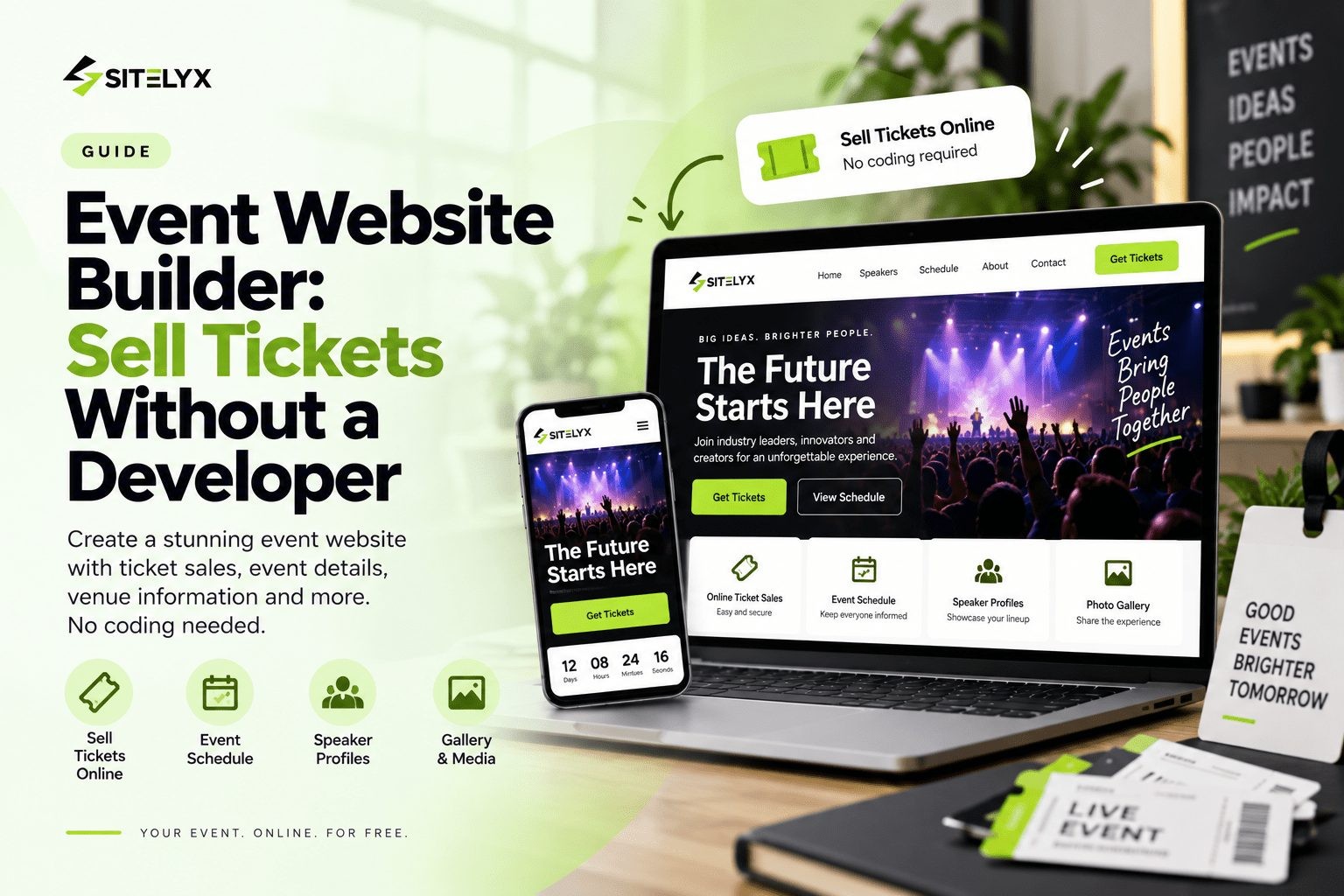
An event website builder solves this entirely. The right tool gives organizers a professional event website with a ticket sales page, a schedule, speaker or performer profiles, a venue map, a sponsor section, and an FAQ, all live in a single session without writing a single line of code.
This guide covers the best event website builders in 2026, compares platforms on what actually matters for event-driven businesses and independent organizers, breaks down the true cost of ticketing platform fees, and includes options with a free plan so any organizer can get started today without financial risk.
By the end of this guide, you will know which platform fits your event type and how to have your ticket sales page live before the week is out.
Why Every Event Needs Its Own Website in 2026
Listing an event on Eventbrite or creating a Facebook Event is a starting point, not a strategy. Both platforms have real value for discovery, but neither replaces the credibility, brand control, and revenue advantages of a dedicated event website.
Here is why this matters in practical terms.
A dedicated event website is the primary trust signal for potential attendees who are on the fence about buying a ticket. When someone searches for an event online and finds only a third-party listing page with limited branding and no independent web presence, the event feels smaller and less credible than it may actually be. A standalone event website with a custom domain, a full schedule, speaker profiles, and a sponsor section communicates professionalism that converts browsers into buyers.
The revenue argument is equally clear. In 2026, Eventbrite charges 3.7% plus $1.79 per ticket as a service fee, plus 2.9% payment processing per order. On a 200-ticket event at $50 per ticket, fees to Eventbrite alone reach approximately $1,018. A website with an embedded lower-fee ticketing tool keeps a meaningful portion of that revenue with the organizer rather than with the platform.
A dedicated event website also builds long-term SEO value that a third-party listing cannot. An annual event with its own website accumulates keyword authority and search traffic across multiple cycles. Each year's speaker announcements, program updates, and post-event recaps compound into an organic search asset that drives discovery without ongoing advertising spend.
Social media event listings are temporary. They disappear after the event ends and contribute nothing to the next edition's visibility. A website is permanent, searchable, and entirely within the organizer's control.
Build your event website on Sitelyx for free and start selling tickets on your own terms today.
The Real Cost of Ticketing Platform Fees (And How to Sell Tickets for Less)
Most event organizers understand that ticketing platforms charge fees. Fewer do the math on what those fees actually cost across a full event run.
In 2026, Eventbrite's confirmed fee structure for US organizers is 3.7% plus $1.79 per ticket as a service fee, plus 2.9% payment processing per order. Here is what that looks like in real numbers at common ticket price points:
| Ticket Price | Eventbrite Fees Per Ticket | Fees on 100 Tickets |
|---|---|---|
| $25 | ~$3.45 | ~$345 |
| $50 | ~$5.09 | ~$509 |
| $100 | ~$8.39 | ~$839 |
| $150 | ~$11.49 | ~$1,149 |
The pattern is clear: the lower the ticket price, the higher the effective fee percentage. A $25 ticket carries approximately 13.8% in fees. A $10 ticket can carry over 21% in platform and processing fees combined. For community workshops, local performances, and lower-priced general admission events, Eventbrite's fee structure is genuinely punishing on the organizer's margin.
There are two practical ways to reduce or eliminate these costs while still selling tickets professionally online.
The first is to build a dedicated event website and embed a lower-fee third-party ticketing tool directly into the ticket page. SimpleTix charges $0.79 plus 2% per ticket, which brings the fee on a $50 ticket to approximately $1.79 rather than $5.09. RSVPify offers free basic event management and paid plans from $24/month that cover unlimited tickets on those plans. These tools embed directly into any Sitelyx page through the admin panel at /admin-home, so attendees buy tickets without ever leaving the event website.
The second option for free events is simpler: a contact form or embedded RSVP widget on the event website handles registration at no cost to the organizer.
The combination of a free Sitelyx event website and an embedded lower-fee ticketing tool is a meaningful cost reduction for any organizer selling more than a handful of tickets.
What to Look for in an Event Website Builder
Not every website builder handles the specific content types that event websites require. A general-purpose tool built for ecommerce or personal portfolios may produce a perfectly usable website, but an organizer building an event-specific site needs features that match the structure of how events communicate information to attendees.
Here are the core criteria that separate a strong event website builder from a generic one.
Ticket Sales and Registration Tools
The ability to sell tickets or collect RSVPs directly from the event website is the most critical feature for any paid event. Options range from native ticketing built directly into the builder, to embeddable third-party widgets, to a simple registration form as a minimum viable starting point.
Look specifically for support for multiple ticket tiers, promo codes, capacity limits, automated confirmation emails, and the ability to pass fees to buyers or absorb them. The organizer's choice of ticketing tool determines how much of each ticket sale actually reaches them, which makes this the most financially consequential feature decision in the entire website setup.
Event Schedule and Agenda Display
Any multi-session event needs a clearly structured schedule page with start and end times, session titles, speaker or performer names, and room or stage assignments. The schedule must be easy to update as details change, because event programs shift right up to the day of the event and updating a schedule should never require a developer.
Speaker and Performer Profiles
Individual profile cards or pages for speakers, performers, or headliners build anticipation and drive ticket sales before the event opens. Attendees commit to events when they know specifically who will be there. A well-presented speakers page is one of the highest-converting pages on any conference or festival website.
Venue and Location Information
A dedicated venue page with a Google Maps embed, full address, parking information, public transit directions, and accessibility accommodations reduces friction for in-person event attendees. Every piece of friction between a ticket purchase and a confident arrival is a potential drop-off point.
Mobile-Responsive Design
72% of consumers now prefer buying tickets on their phones, according to industry research. The ticket purchase flow, schedule, speaker profiles, and every other page must work cleanly on a mobile screen. A website that requires pinching and zooming on mobile loses ticket sales.
SEO Controls for Event Discovery
Custom meta titles, meta descriptions, and event-specific content help the event website appear in local and topic-based search results. An event that appears on the first page of Google for its own name and event type attracts attendees who would never have found it through the organizer's existing audience alone.
Ease of Use and Fast Setup
Event websites must go live quickly because ticket sales timelines are tied directly to revenue. Every week the website is not live is a week of potential early bird sales that do not happen. A builder that requires weeks of setup or developer involvement before going live is a competitive disadvantage for any event with a fixed date on the calendar.
Best Event Website Builders in 2026
The platforms below were evaluated on ticketing capability, event-specific page types, schedule and speaker tools, SEO controls, mobile performance, ease of use, and pricing transparency. Each one suits a different type of event depending on budget, goals, and how much brand control matters relative to platform convenience.
Sitelyx is highlighted as the recommended starting platform for independent event organizers who want a professional CMS-powered event website with full page control, embeddable ticketing, and zero upfront monthly cost.
Sitelyx - Best Free Event Website Builder for Independent Organizers
Sitelyx is the strongest choice for event organizers who want a professional, fully featured event website without paying monthly platform fees or hiring a developer. It is a hosted website builder and content management system that handles hosting, structure, and templates so the organizer can focus entirely on event content, ticket sales, and attendee experience.
How Sitelyx works for events
When an event organizer creates a website on Sitelyx, the platform builds a separate tenant website for that event immediately. The website receives a free subdomain right away, for example yourevent.sitelyx.co, which is live and accessible on the internet from day one. All website management happens from the Sitelyx admin panel at /admin-home, including pages, blog posts, navigation menus, media uploads, and SEO settings. There is no hosting to configure, no code to write, and no developer needed at any stage.
What event organizers can build on Sitelyx
Sitelyx provides ready-made templates that organizers choose and customize through the visual admin panel. The template provides the design structure and the organizer replaces every section with the actual event content: event name, date, location, speaker information, schedule, ticket link, sponsor logos, and venue details.
Key pages an event organizer can build on Sitelyx:
- Event Homepage: bold hero banner with the event name, date, and location prominently displayed, a hero image that communicates the event atmosphere and scale, a prominent "Get Tickets" call-to-action button above the fold, and a brief summary of what the event offers and who it is for
- About the Event page: the event concept, its origin story if recurring, the mission behind it, and what makes this specific event worth attending. Social proof from past editions, such as attendee numbers, press mentions, or testimonials, builds credibility with first-time visitors
- Schedule and Agenda page: day-by-day or session-by-session breakdown with start times, session titles, speaker or performer names, and stage or room assignments written as real text content that Google can index. Every session listed as readable text adds keyword coverage for searches related to the event's topics and speakers
- Speakers or Performers page: individual profile cards or dedicated pages for each speaker, performer, DJ, or headliner with a photo, name, title or genre, biography, and links to social profiles or past work. Attendees often commit to an event based on a specific person, making this one of the highest-converting pages on the entire site
- Venue page: full venue name and address, an embedded Google Maps widget for direct mobile navigation, parking information, public transit directions, accessibility accommodations, and nearby accommodation suggestions for out-of-town attendees
- Tickets and Registration page: a dedicated page with an embedded third-party ticketing widget from RSVPify, SimpleTix, Eventbrite, or any preferred platform. Multiple ticket tiers including general admission, VIP, early bird, and group rates are all managed through the chosen ticketing platform. The embed lives directly in the Sitelyx page so attendees complete the purchase without being redirected to another domain
- Sponsors and Partners page: sponsor logos organized by tier with brief partnership descriptions. A well-presented sponsor page increases event credibility with attendees and makes the event more attractive to future sponsors who want visible recognition
- FAQ page: common attendee questions answered about tickets, refunds, venue access, accessibility, photography policy, food and beverage, and the event schedule. A thorough FAQ page reduces support email volume and removes final objections that prevent ticket purchases
- Blog and News: speaker announcements, lineup reveals, behind-the-scenes production updates, sponsor spotlights, and post-event recaps. Each post is an additional indexed page that builds keyword coverage and organic search traffic. For recurring annual events, archived blog content from prior editions compounds authority over time
- Contact page: organizer contact information, a press inquiry form, and a sponsor inquiry form so media, potential partners, and prospective sponsors can reach the right person directly
Media library for event assets
All event photos, speaker headshots, venue images, sponsor logos, and promotional banners are uploaded and managed from the media library inside /admin-home. All assets are organized in one place and accessible directly when editing any page or blog post.
SEO settings for event discovery
Every page and every blog post has its own meta title and meta description field in the Sitelyx admin panel. A homepage title like "Austin Tech Summit 2026 — Speakers, Schedule, and Tickets" or "Annual Jazz Festival Chicago — Performance Schedule and Tickets" targets the exact searches potential attendees use when looking for events in their area or interest category.
Ticketing integration without platform lock-in
Sitelyx pages support embedding third-party ticketing widgets from any platform. An organizer who embeds a SimpleTix form saves approximately $3.30 per ticket compared to Eventbrite on a $50 ticket. Across a 200-ticket event, that difference reaches approximately $660 in additional revenue retained by the organizer. The embed is placed directly into the Tickets page through the page editor in /admin-home with no coding required.
Pricing and free plan
Sitelyx offers a free plan that gives access to the admin panel, templates, full CMS features, media library, and a live website on a free subdomain with no credit card required. Upgraded plans add features including custom domain support for events ready to move to a branded address. View the full Sitelyx pricing and free plan details to see what each tier includes.
Best for: Independent event organizers, conference organizers, festival promoters, community event planners, charity gala organizers, corporate event teams, workshop hosts, wedding planners, and any organization that needs a professional event website with a full content structure and embeddable ticket sales without paying a developer or committing to an expensive managed event platform.
Limitation: Sitelyx does not include a built-in native ticketing engine. Event organizers embed a third-party ticketing tool such as RSVPify, SimpleTix, or Eventbrite directly into the Tickets page. This approach also gives the organizer full freedom to choose the ticketing platform with the lowest fees for their specific event type and ticket price point.
Wix Feature-Rich Event Builder with Native Ticketing
Wix is one of the most widely used website builders in the world, and its Wix Events tool makes it a serious contender for organizers who want native ticketing without embedding a third-party tool.
With Wix Events, organizers can add registrations, ticket sales, invitations, seating plans, and attendee tracking all within the Wix platform. Wix also includes marketing tools, SEO controls, email campaigns, CRM functionality, and scheduling features, making it well-suited for an event business or venue that runs multiple events per year and wants a long-term business website with an events section rather than a single event website.
The template library is large and includes event-specific designs for conferences, concerts, workshops, and community gatherings. Wix provides more design freedom than most dedicated event platforms, though that freedom also means organizers make more structural decisions about how the schedule, speaker directory, and navigation are organized.
Pricing: Free plan available with Wix branding and no custom domain, which is unsuitable for a professional event presence. Paid plans from $17/month. Wix Events with full ticketing functionality requires the $29/month Core plan or above.
Best for: Event planning businesses, venues, and organizers running multiple events per year who want an all-in-one platform covering native ticketing, attendee management, email marketing, and CRM in a single dashboard.
Limitation: Complex multi-day conference schedules with dozens of sessions and a large speaker directory require more manual structure and setup in Wix than a purpose-built conference CMS would. The effective monthly cost for a fully featured event ticketing setup on Wix starts at $29/month rather than the headline $17 entry price.
Squarespace - Best for Design-Forward Conferences and Formal Events
Squarespace is consistently rated the most visually polished general-purpose website builder available. Its templates are among the most professionally designed on the market, making it a strong choice for upscale conferences, formal galas, premium festivals, and brand-driven events where the visual quality of the event website directly influences ticket sales.
A beautifully designed Squarespace event website communicates event credibility before a visitor reads a single word of copy. For events where ticket prices are high and the buyer's decision is influenced by perceived quality and prestige, that visual first impression carries real conversion value.
Squarespace does not include native event ticketing tools, which means organizers integrate a third-party platform such as Eventbrite, RSVPify, or Ticket Tailor and embed the ticketing widget into the relevant Squarespace page. This is also a practical advantage because it allows the organizer to choose a lower-fee ticketing platform independently rather than being locked into a native tool.
SEO controls allow full customization of page titles, meta descriptions, and URL structures, which supports event-specific search optimization for each conference, festival, or event edition.
Pricing: Plans start at $16/month. There is no free plan or meaningful free trial for event website use.
Best for: Premium conferences, luxury galas, upscale brand events, arts festivals, and any event where visual design quality is a primary factor in ticket purchase decisions and the organizer has a monthly budget for the platform.
Limitation: No native ticketing or event registration tools. All ticketing functionality requires a third-party integration selected and configured separately. The combined monthly cost of Squarespace plus a third-party ticketing platform can exceed $40 to $50/month for a fully functioning paid event website.
Eventbrite - The Largest Ticketing Marketplace with Basic Event Pages
Eventbrite is the most widely recognized event ticketing platform globally and its built-in event pages are familiar to the tens of millions of attendees who use Eventbrite to discover events every month.
For new event organizers with no existing audience, Eventbrite's marketplace is a genuine discovery channel. Events listed on Eventbrite appear in the platform's internal search and browse features, which generates organic attendee traffic that a brand-new standalone website cannot replicate without SEO investment or advertising spend.
The basic event pages Eventbrite provides are quick to set up and cover the essential information: event name, date, location, description, and a ticket purchase button. For free events, Eventbrite charges nothing, making it a genuinely cost-free option for organizers running community gatherings, free workshops, or awareness events.
2026 fee structure (verified): Eventbrite charges 3.7% plus $1.79 per ticket as a service fee, plus 2.9% payment processing per order. On a $25 ticket, total fees reach approximately $3.45. On a $50 ticket, approximately $5.09. On a $100 ticket, approximately $8.39. There is no per-ticket fee cap. For low-priced tickets, the effective fee percentage can reach 13 to 21% of the ticket value. In March 2026, Eventbrite was acquired by Italian tech group Bending Spoons, which has since implemented significant staff cuts and product changes.
Best for: New event organizers who need marketplace discovery more than brand control, organizers of free events where Eventbrite charges nothing, and first-time event organizers who want the fastest possible setup with a familiar, widely trusted platform.
Limitation: Event page design is heavily Eventbrite-branded with limited customization. No independent SEO value since the page lives on Eventbrite's domain. Fee structure is costly at lower ticket price points. Payouts are delivered within five business days after the event ends rather than in real time.
RSVPify - Best Embeddable Registration and Ticketing Tool
RSVPify is not a full website builder but a specialized event registration and ticketing platform whose forms and widgets embed directly into any event website page, including Sitelyx pages.
RSVPify's event website builder supports customizable colors, fonts, backgrounds, images, and content blocks. Event pages can include RSVP forms, ticket sales, schedules, maps, FAQ sections, and attendee resources, all connected to the RSVPify event dashboard. The platform also provides guest-list management, custom registration questions, form logic, meal preference collection, seating management, and targeted event communications.
RSVPify is particularly strong for invitation-based events where precise attendee access control and guest list management matter as much as ticket sales. It is trusted by over 150,000 event teams.
Pricing: Free option available for basic event management. Paid business plans from $24/month as of mid-2026, which unlocks higher attendee capacity and more advanced features.
Best for: Organizers who want precise guest list control, advanced RSVP management, and an embeddable ticketing solution on an event website they fully control. Particularly well-suited for corporate events, galas, reunions, and invitation-based gatherings.
Limitation: RSVPify's strength is registration and guest management rather than full event website design. Organizers who need a complete, content-rich event website with a blog, SEO controls, and a full speaker and schedule directory still need a platform like Sitelyx to power the overall site.
Side-by-Side Comparison
Here is a quick reference across all platforms on the features that matter most for event organizers.
| Feature | Sitelyx | Wix | Squarespace | Eventbrite | RSVPify |
|---|---|---|---|---|---|
| Free Plan | Yes | Yes (limited) | No | Yes (free events) | Yes (basic) |
| Native Ticketing | Via embed | Yes ($29/mo) | Via integration | Yes | Yes |
| Event Schedule Page | Yes | Yes | Yes | Limited | Yes |
| Speaker Profiles Page | Yes | Yes | Yes | No | No |
| Venue Page with Map | Yes | Yes | Yes | Limited | Limited |
| Sponsor Page | Yes | Yes | Yes | No | No |
| Blog and News | Yes | Yes | Yes | No | No |
| SEO Per Page | Yes | Yes | Yes | Limited | Limited |
| CMS Admin Panel | Yes (/admin-home) | Yes | Yes | No | Limited |
| Custom Domain (free plan) | No | No | No | No | No |
| Starting Price | Free | $17/month | $16/month | Free (free events) | Free/$24/month |
| Ticket Fees | Third-party rate | Included | Third-party rate | 3.7%+$1.79+2.9% | Varies by plan |
The key takeaway: Sitelyx leads among free options for event organizers who need a full-featured CMS event website with speaker profiles, schedule pages, a venue section, sponsor recognition, a blog, and SEO controls, all with support for any embedded ticketing tool and no monthly fees. Wix is the strongest all-in-one paid option with native ticketing. Eventbrite wins on marketplace discovery for new events but loses on fee structure, brand control, and long-term SEO value.
Essential Pages Every Event Website Needs
Choosing the right platform is only part of the equation. The pages built and how well each one serves potential attendees determines how effectively the website converts visitors into ticket buyers. These are the pages every event website needs in 2026.
Event Homepage
The homepage has one job: communicate the event name, date, location, and reason to attend within the first few seconds of a visit. Every additional second a visitor spends searching for basic event information is a second closer to leaving the page without buying a ticket.
A homepage that converts includes the event name and tagline prominently in the headline, the date and location visible without scrolling, a hero image that communicates the event atmosphere or theme, and a "Get Tickets" or "Register Now" button above the fold in a color that stands out from the rest of the design. Adding a countdown timer to the event date creates urgency and is one of the most effective conversion elements on any event homepage.
About the Event Page
The concept behind the event, its history if it is a recurring edition, the mission or theme, and what specifically makes this event worth attending. For recurring events, include past attendee numbers, memorable moments, or press coverage from prior editions. Social proof from previous editions is one of the most powerful conversion tools for repeat events because it shows potential attendees that others found the experience valuable.
Schedule and Agenda Page
A session-by-session or day-by-day breakdown with start times, session titles, speaker or performer names, and stage or room assignments. For multi-day events, organize by day with clear sectioning. For single-day events with multiple tracks, organize by time slot with parallel session options clearly displayed.
Writing the schedule as real text content on the page rather than embedding it as a PDF or image is a significant SEO decision. Every speaker name, session title, and topic listed as readable text is a keyword Google can index. A conference with 30 speakers has 30 additional keyword opportunities embedded in its schedule page if the content is written as real text.
Speakers or Performers Page
Individual profile cards or dedicated pages for each speaker, performer, DJ, or headliner. Include a professional photo, full name, title or genre, a short biography, and links to social profiles or previous work. For conferences, include the topic or session title each speaker will present. For music events, link to streaming profiles where potential attendees can preview the performer's work.
This is frequently the highest-converting page on a conference or festival website. Potential attendees browse the speaker lineup to determine whether the event is worth their time and money. A well-presented, easily navigable speakers page shortens that decision process in the organizer's favor.
Venue Page
The full venue name and street address, an embedded Google Maps widget for one-tap mobile navigation, parking information including nearby garages or lots with approximate costs, public transit directions from major nearby stations, accessibility information for attendees with mobility requirements, and nearby hotel or accommodation suggestions for out-of-town attendees.
Reducing friction around getting to the event is a meaningful conversion factor. An attendee who is uncertain about parking or transit directions is an attendee who might decide it is not worth the hassle. A thorough venue page removes that objection before it forms.
Tickets and Registration Page
A standalone page dedicated entirely to the ticket purchase experience. Embed the chosen ticketing widget directly into the page content so attendees complete the purchase without being redirected to another domain. Display all ticket tiers clearly: general admission, VIP, early bird pricing, group rates, and any special access passes.
Include deadline dates for early bird pricing or limited availability tiers to create urgency. A short FAQ section immediately below the ticketing widget addresses common checkout questions before they become reasons to abandon the purchase.
Sponsors and Partners Page
Sponsor logos organized by tier, such as presenting sponsor, gold, silver, and community sponsors, with a brief description of each partnership. A well-presented sponsor page increases event credibility in the eyes of potential attendees and makes the event significantly more attractive to future sponsors who want visible recognition in exchange for their investment.
FAQ Page
A thorough FAQ page removes the final objections that prevent ticket purchases. Common questions for event websites include: What is the refund or exchange policy? Is the venue accessible for wheelchair users? Is there parking on site? What should I bring? Is photography allowed? What happens if the event is postponed? Will there be food and beverage on site?
Answer every question clearly and directly. A visitor who finds their question answered on the FAQ page is more likely to complete a ticket purchase than one who has to send an email and wait for a reply.
Blog and News
A consistently updated blog is the most reliable long-term SEO asset an event website can build. Speaker announcement posts, lineup reveals, "What to expect" preview articles, location guides for out-of-town attendees, behind-the-scenes production updates, and detailed post-event recaps all generate organic search traffic before, during, and after the event.
For recurring annual events, archived blog content from prior editions compounds into a meaningful organic search presence that reduces dependency on paid advertising to fill each new edition's ticket inventory.
How to Build an Event Website on Sitelyx - Quick Start Guide
Getting an event website live on Sitelyx takes less time than most organizers expect. Here is the complete process from signup to live ticket sales page.
- Visit Sitelyx.co and create a free account with an email address. No credit card is required and the free plan gives full access to all core features immediately.
- Enter the event or organization name to create the tenant website. Sitelyx generates the site and assigns a free subdomain instantly, for example yourevent.sitelyx.co, which is live on the internet from this moment.
- Choose a template that matches the event's visual tone, audience expectations, and the atmosphere the organizer wants to communicate. Pick something that reflects the energy of the event itself.
- Open the admin panel by navigating to /admin-home. This is the central control room where every aspect of the website is managed.
- Go to Pages inside /admin-home and edit the Homepage, About, Schedule, Speakers, Venue, Tickets, Sponsors, FAQ, and Contact pages. Replace all placeholder text and images with the real event content.
- Upload all event photography, speaker headshots, venue images, sponsor logos, and promotional banners to the Media Library inside /admin-home.
- Build the Schedule page with every session, its start time, the speaker or performer name, and the stage or room assignment written as real text content rather than an image or PDF.
- Create individual Speaker or Performer profile pages or cards with photos, biographies, session titles, and social links.
- Set up the Tickets page by embedding the chosen ticketing widget from RSVPify, SimpleTix, Eventbrite, or any preferred platform directly into the page through the page editor in /admin-home. No coding is required for the embed.
- Go to SEO Settings inside /admin-home and write a custom meta title and meta description for every page. Include the event name, the year, the location, and relevant topic keywords in each page title.
- Go to Menus and update the navigation so the "Get Tickets" link connects directly to the Tickets page and every key section is accessible in one click from anywhere on the site.
- Visit the live subdomain URL to review the website on both a desktop browser and a mobile device before sharing with potential attendees, speakers, and sponsors.
For a complete walkthrough of every section of the Sitelyx admin panel and how to manage each feature, follow our full step-by-step guide to building a free website on Sitelyx.
Tips to Get Your Event Website Ranking on Google
Building an event website is step one. Getting it to appear in search results when potential attendees search for the event or similar events in the area is step two. These practical SEO tips are written specifically for event organizers.
Include the event name, year, and location in the homepage title and H1
A meta title like "Austin Tech Summit 2026 - Speakers, Schedule, and Tickets" targets multiple search intents simultaneously. It matches searches for the event by name, searches for tech conferences in Austin in 2026, and searches that include the word "tickets." Use the SEO Settings inside /admin-home to set this title on the homepage specifically.
Write the schedule and speaker bios as real text
Every speaker name, session title, and topic listed as real text on the schedule and speakers pages is a keyword Google can index and surface in relevant searches. A conference with 25 speakers that lists every name, organization, and session topic as readable text has 25 additional keyword opportunities embedded in its pages. A PDF schedule or an image of a printed program has zero.
Create a dedicated page for each year's edition of recurring events
An annual event benefits from a new event page each year targeting current-year searches. The main event domain accumulates authority and historical content across multiple cycles while each year's dedicated page targets time-specific search intent. This structure builds compounding search value that reduces the advertising spend needed to fill each new edition.
Publish blog posts throughout the event build-up cycle
Speaker announcement posts targeting the speaker's name as a keyword, "What to expect at [Event Name] 2026" preview articles, local guide content for out-of-town attendees, and behind-the-scenes production updates all generate organic traffic during the months before the event when ticket purchase intent is highest.
Add event schema markup to the homepage
Event schema markup tells Google specifically that a page is about a scheduled event, which enables rich results displaying the event date, location, and ticket availability directly in search results. How to add event schema markup to help Google display your event in search results is documented by Google with implementation examples for organizers who want to enable this feature.
List the event on discovery platforms to build inbound links
Eventbrite, Facebook Events, local event calendars, and industry-specific event directories all contribute inbound links and additional discovery channels. These external links support the overall domain authority of the standalone event website and generate traffic from audiences the organizer may not reach through direct marketing.
Event Website Builder vs. Eventbrite - Which Is Right for Your Event?
This is the question most independent event organizers eventually face. The answer depends on the event's goals, audience size, and how much brand control and revenue retention matter relative to marketplace reach.
Choose Eventbrite when:
The event is new with no existing audience and marketplace discovery is the primary acquisition channel for ticket sales. The event is free and Eventbrite charges nothing. Quick setup with zero platform cost is more important than brand control or visual identity. The organizer wants to test an event concept with minimal upfront commitment before investing in a full website.
Choose a dedicated event website builder like Sitelyx when:
The event has an established audience or marketing channels that drive direct traffic to a website rather than to a third-party marketplace. Brand identity and the full attendee experience on the event website matter as much as ticket sales. The organizer is running a recurring annual event and wants to build long-term SEO equity that reduces advertising dependency over time.
Controlling ticket fees is a priority. On a 200-ticket event at $50 per ticket, a Sitelyx website with an embedded SimpleTix form saves approximately $660 compared to Eventbrite's fee structure on the same volume, because SimpleTix charges $0.79 plus 2% per ticket versus Eventbrite's 3.7% plus $1.79 plus 2.9% processing.
The event needs a full-featured website with a schedule, speaker profiles, a venue section, a sponsor page, a blog, and SEO-optimized pages that an Eventbrite event page cannot provide.
The combined approach:
Many experienced event organizers use both tools together. They build a complete, fully branded event website on Sitelyx for content depth, brand control, SEO equity, and long-term value, and list the event on Eventbrite for marketplace discovery and the trust signal that comes with the Eventbrite brand. Traffic from Eventbrite is directed back to the main event website for additional information, and the primary ticket purchase happens through a lower-fee embed on the Sitelyx site.
How Much Does an Event Website Cost in 2026?
Event website costs range from completely free to tens of thousands of dollars per year depending on the platform and the feature set required. Here is an honest breakdown across all tiers.
Free: Sitelyx's free plan delivers a full CMS event website on a free subdomain with page management, blog, SEO settings for every page, media library, and support for any embedded ticketing widget at zero monthly cost. The ticketing tool cost is separate and determined by the chosen third-party platform. This combination is the most cost-effective starting point for independent event organizers.
$16 to $17 per month: Squarespace base plans and Wix base plans fall here. Neither includes event-specific native ticketing at the entry price. Both require a third-party ticketing integration for paid events.
$24 to $29 per month: RSVPify paid business plans and Wix Core plans with native Wix Events ticketing. Strong feature sets for organizers who want managed registration and ticketing without selecting a separate platform.
Ticketing fees (on top of the website cost):
| Platform | Per-Ticket Fee | On 100 x $50 Tickets |
|---|---|---|
| SimpleTix | $0.79 + 2% | ~$179 |
| RSVPify (paid plan) | Included in plan | $0 above plan cost |
| Eventbrite | 3.7%+$1.79+2.9% | ~$509 |
| Square | 2.6% + $0.15 in-person | ~$145 |
$17,900 per year and above: Enterprise event platforms like Bizzabo and Cvent serve large conferences with deep CRM integrations, AI-powered attendee matchmaking, and enterprise-grade analytics. These platforms suit large organizations managing multiple major events per year with dedicated event technology budgets.
For most independent event organizers, community events, conferences, and local festivals, the free or entry-level tier covers everything needed to build a professional event website and sell tickets online without a developer and without excessive platform fees.
Frequently Asked Questions
Conclusion
The best event website builder in 2026 is the one that gets the event online quickly, communicates the value of attending clearly, makes the ticket purchase process frictionless on any device, and keeps as much of the ticket revenue as possible with the organizer rather than with a platform.
For independent organizers, conference teams, festival promoters, and community event planners who want to get started without monthly fees or developer costs, Sitelyx is the clear first choice. The free plan delivers a full CMS event website with every page type needed, from a schedule and speaker profiles to a venue section and sponsor page, with support for embedded ticketing from any platform and zero monthly cost.
For organizers who want native built-in ticketing in a single platform, Wix with the Core plan offers the strongest all-in-one solution. For premium brand-driven events where visual design quality is the primary conversion driver, Squarespace delivers the strongest results. For organizers who need precise guest management alongside ticketing, RSVPify embedded into a Sitelyx event site is a powerful combination.
The one thing all successful event websites have in common is that they exist. Every week an event does not have a website is a week of missed search visibility, lost early bird sales, and potential sponsors who could not find enough information to commit.
Build your free event website on Sitelyx today and start selling tickets in minutes.
No Tags
Login to Leave a Comment
Related Blog

- 25 Sep 2026
- <25
- 0 Comment
Portfolio Website for Students: Free Guide + Templates
Build a student portfolio website for free. Copy-and-paste project templates, what to include with no work experience, and free platforms that publish at $0.

- 25 Sep 2026
- <25
- 0 Comment
How to Build a Photography Website (Full Guide)
A step-by-step guide to building a photography website: how to curate galleries, export images correctly, set up image SEO and launch without slowing your pages down.

- 24 Sep 2026
- 30
- 0 Comment
Is Wix a Good Website Builder? An Outsider`s Review
Is Wix a good website builder in 2026? We weighed real user ratings, independent test data and Wix's own numbers, including where Wix genuinely wins.
Comments (0)