- Hank Addison
- Published:
- Last updated:
- Website Guides
- 1
- 0
If you have been searching "wix vs squarespace" to work out which website builder deserves your money, you have probably noticed something frustrating. Most comparison articles quote pricing that no longer exists, and almost none of them mention what you actually end up paying once transaction fees and add-ons are counted.
Squarespace rebuilt its entire pricing structure in early 2026, replacing the old Personal, Business, and Commerce plans with a new four-tier model. Wix kept its plan names but the real cost of running a functional business site on either platform has climbed steadily.
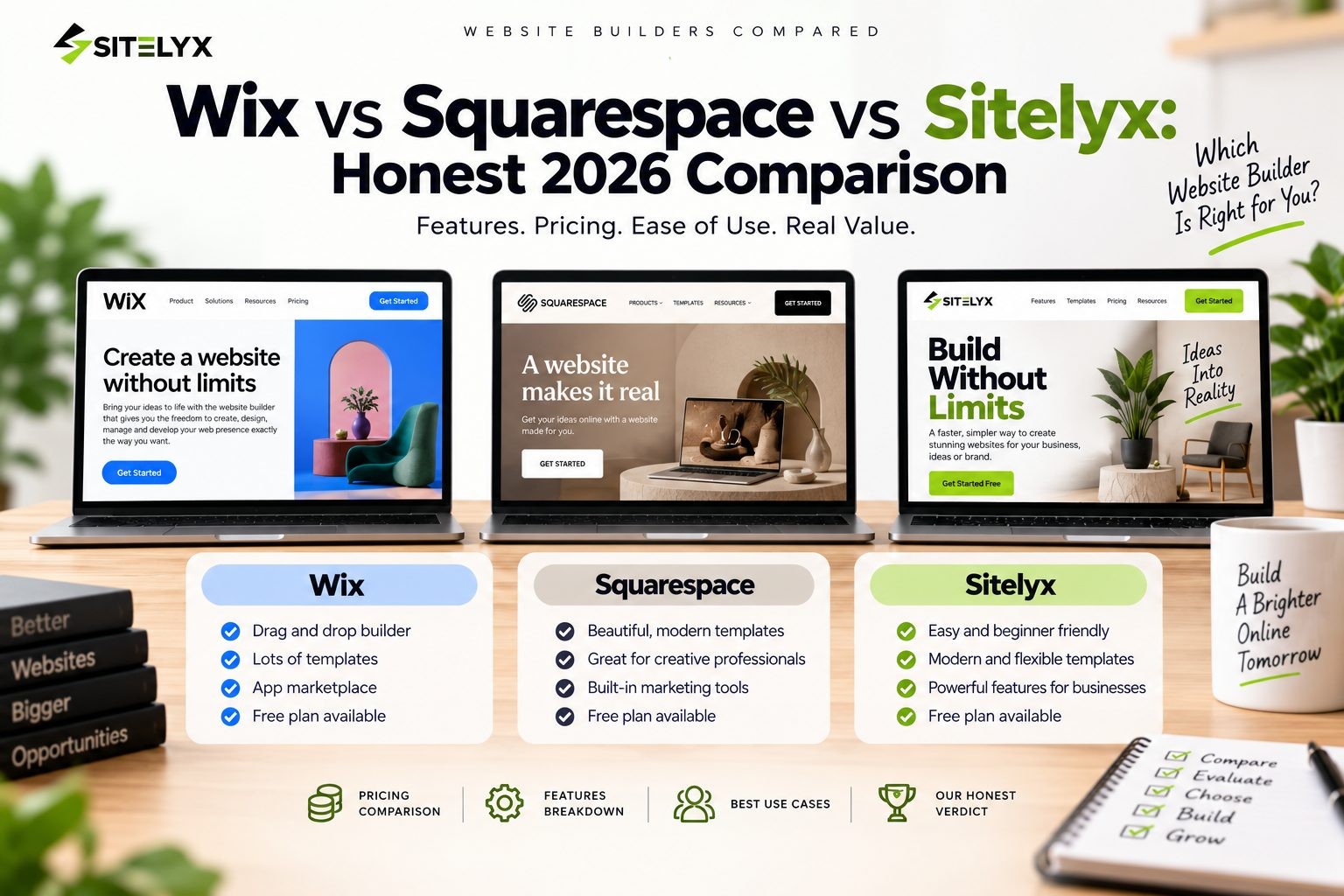
This comparison covers Wix vs Squarespace across pricing, templates, ease of use, SEO, ecommerce, and total cost of ownership. It also brings in Sitelyx as a third option, because the price gap between these platforms is now large enough that it changes the decision for a lot of small businesses.
The Short Version
Wix suits users who want the largest template library and the most layout freedom. You pay for that flexibility in both money and learning curve.
Squarespace suits visual brands, photographers, and creatives who want polished results without design work. The 2026 pricing reset made it noticeably more expensive.
Sitelyx suits small businesses, service providers, and creators who want a working CMS site at a fraction of the cost. Paid plans start at $4 per month, which is less than a sixth of what either competitor charges.
Now the detail.
Pricing: What You Actually Pay in 2026
Wix Pricing
Wix runs four paid tiers:
| Plan | Price per month | Storage | Ecommerce |
|---|---|---|---|
| Light | $17 | 2 GB | No |
| Core | $29 | 50 GB | Basic |
| Business | $39 | 100 GB | Standard |
| Business Elite | $159 | Unlimited | Advanced |
All paid plans include a custom domain, hosting, and a free domain for the first year.
Wix does offer a free plan, but your site carries Wix advertising and sits on a Wix subdomain. For any business use, that rules it out. Most small businesses land on Core at $29 per month, because Light has no ecommerce and no scheduling.
One point in Wix's favor: it does not add its own transaction fee on top of your payment processor. What you pay Stripe or PayPal is what you pay.
Squarespace Pricing
This is where the 2026 changes matter. Squarespace replaced Personal, Business, and Commerce with Basic, Core, Plus, and Advanced.
| Plan | Monthly billing | Annual billing | Store fee | Digital product fee |
|---|---|---|---|---|
| Basic | $25 | around $16 to $19 | 2% | 7% |
| Core | $36 | around $23 to $29 | 0% | 5% |
| Plus | $56 | around $39 to $49 | 0% | 1% |
| Advanced | $139 | around $99 | 0% | 0% |
Reported annual figures vary between sources and by region, so treat the annual column as a range rather than an exact quote. Monthly billing figures are more consistent.
Two things deserve attention here. First, the entry Basic plan charges a 2 percent fee on every physical product sale and 7 percent on digital products, on top of standard card processing. If you sell anything, Basic is a trap. You need Core at $36 per month to get to 0 percent on physical goods.
Second, appointment scheduling is not included in any Squarespace plan. That requires Acuity Scheduling, a separate Squarespace product with its own subscription starting around $16 per month. For a salon, clinic, consultant, or any business that books appointments, the real Squarespace cost is the plan price plus Acuity.
A service business needing both a site and booking is looking at roughly $52 per month on monthly billing before a single add-on.
Sitelyx Pricing
Sitelyx runs three tiers:
| Plan | Price per month | Pages | Custom domain | Ecommerce |
|---|---|---|---|---|
| Free | $0, permanent | Up to 5 | No | No |
| Growth | $4 | Up to 20 | Yes | Order management |
| Pro | $6 | Extended | Yes | Full store and POS |
The free plan is permanent rather than a trial. You get one website on a free subdomain like yourbusiness.sitelyx.co, up to 5 pages, and access to the template library. It includes the blog, gallery, video, portfolio, testimonials, FAQ, form builder, newsletter, support tickets, service listings, and the resume builder with 3 resumes. Payment gateways and bank transfer are available.
What the free plan does not include: a custom domain and ecommerce. Those start at Growth.
Growth at $4 per month is where most small businesses will sit. It lifts you to 20 pages, connects a custom domain, and unlocks appointments, events, hotel booking, restaurant ordering, donations, job postings, knowledgebase, wedding pricing, brand management, site analytics, and Stripe, PayPal, and Authorize.net.
Pro at $6 per month adds the full ecommerce store, point of sale, advertisement zones, domain reseller, Square payments, and unlimited resumes.
Both paid plans come with a 10 day free trial that does not require a credit card.
Total Annual Cost Compared
This is the number that actually matters. Here is a realistic annual cost for a small service business that needs a custom domain and appointment booking.
Wix: Core plan at $29 per month is $348 per year. Scheduling is included at this tier. Domain is free the first year, then roughly $20. Around $348 to $368 per year.
Squarespace: Core plan at $36 per month is $432 per year on monthly billing, or roughly $276 to $348 on annual billing. Add Acuity at $16 per month, which is $192 per year. Around $468 to $624 per year.
Sitelyx: Growth plan at $4 per month is $48 per year, with appointments and custom domain connection included. Around $48 per year.
The gap is not marginal. A business running on Sitelyx Growth instead of Squarespace Core with Acuity saves somewhere between $420 and $576 annually, which is real money for an early stage business.
Templates and Design
Wix Templates
Template counts for Wix vary depending on who is counting and how variations are treated. Reported figures range from around 900 to about 3,100. Either way, Wix has by far the largest library of the three platforms, organized by industry and visual style.
The significant catch: once you pick a Wix template, you cannot switch to a different one without rebuilding your content. If your taste changes in eighteen months, you start over.
Wix uses a free-positioning drag and drop editor, so any element can go anywhere. That is powerful for people with design instincts and messy for people without them.
Squarespace Templates
Squarespace offers a much smaller library, reported at roughly 100 to 202 templates depending on whether older version 7.0 designs are counted. The consistent view across reviewers is that the average quality is higher, with less filler.
Squarespace lets you switch templates without losing content, which Wix does not. The editor is section based rather than free positioning, so you assemble pages from structured blocks. Fewer ways to make something look wrong, fewer ways to make something look distinctive.
Sitelyx Templates
Sitelyx ships 18 templates, each built around a specific business type rather than a general aesthetic. The current set covers Agency, Article, Barber Shop, Construction, Consultancy, Donation, Ecommerce, Event, Hotel Booking, Job Find, Newspaper, Pet Care Store, Photography, Portfolio, Restaurant, Software Business, Support Ticket, and Wedding. A Course template is listed as coming soon.
This is a fundamentally different approach. Rather than picking a look and then building functionality, you pick a template that already carries the functionality your business needs. The Barber Shop template comes with appointment booking and service menus. The Hotel Booking template comes with rooms, bed types, amenities, and an availability calendar. The Restaurant template comes with menu management, online orders, and tax settings.
The trade-off is obvious: 18 templates is a small library. If none of them matches your business type, Sitelyx is a harder fit. If one of them matches exactly, you are starting much closer to finished than you would on either competitor.
Ease of Use
Wix
Wix is approachable at first and gets cluttered as you go. The editor is genuinely easy to start with, but the platform has accumulated so many features that finding a specific setting often means digging through several menus.
Wix also offers an AI builder that generates a starter site from a few questions. It is a fast way to see something on screen, though most users rebuild from there anyway.
Squarespace
Squarespace constrains you more and most beginners are better off for it. The section based editor makes it difficult to produce something genuinely ugly. Default styling is strong enough that a lot of Squarespace sites look professional with no customization at all.
The learning curve shows up later, around ecommerce configuration, member areas, and the newer AI features.
Sitelyx
Sitelyx is CMS first rather than canvas first. Everything happens in the admin panel at /admin-home, organized into Pages, Blog, Media Library, Menus, SEO Settings, and General Settings, alongside whichever business modules your template and plan activate.
If you have used any blog platform or admin dashboard before, this is immediately familiar. You are not learning a proprietary drag and drop canvas, you are filling in a structured system.
The cost of that is less pixel level control than Wix offers. The benefit is faster editing, much lower risk of breaking your layout, and a panel you can hand to a staff member or VA without training them first.
SEO
Wix
Wix has improved considerably here. You get custom meta titles and descriptions per page, canonical URL control, structured data, automatic sitemaps, Google Search Console integration, robots.txt access, and a guided SEO setup tool.
Robots.txt control is a real advantage over Squarespace, which does not offer it.
Squarespace
Squarespace covers the fundamentals well: clean URLs, automatic sitemaps, SSL, canonical tags, and per page meta fields. It also provides a dedicated CSS editor, which Wix limits.
It does not give you robots.txt access, which matters for anyone doing technical SEO work.
Sitelyx
Sitelyx lets you set custom meta titles and descriptions for every page and blog post from SEO Settings inside /admin-home. Output is clean HTML without the third party script weight that both larger platforms carry by default. A redirect manager and RSS feed are included.
A Note on Page Speed
You will find articles quoting precise Lighthouse scores for these platforms. Treat them carefully, because independent sources disagree.
Tooltester's testing found Wix slightly faster on load times for both desktop and mobile, while Squarespace performed better on Time to Interactive. Style Factory reports the opposite emphasis, noting that Squarespace sites on version 7.1 pass Core Web Vitals more frequently than Wix sites, while describing both platforms as "a bit sluggish."
The honest summary is that neither Wix nor Squarespace is fast, the gap between them is small enough that testing methodology flips the result, and anyone with page speed as a top priority should test their own build rather than trusting a published score.
Ecommerce
Wix
Ecommerce starts on the Core plan at $29 per month and supports up to 50,000 products. Business at $39 adds abandoned cart recovery and dropshipping. Business Elite adds advanced ecommerce features.
Wix charges no transaction fee of its own at any tier, which is a genuine advantage over Squarespace.
Squarespace
Squarespace product pages and checkout look excellent by default, which fits the platform's strength.
The fee structure is the problem. Basic charges 2 percent on physical sales and 7 percent on digital products. Core removes the physical goods fee but still charges 5 percent on digital. Only Plus at $56 per month gets digital fees down to 1 percent, and only Advanced at $139 reaches zero across the board.
If you sell digital products, courses, or memberships, Squarespace is expensive in a way the headline pricing does not communicate.
Sitelyx
Full ecommerce lives on the Pro plan at $6 per month, including products, cart, coupons, inventory management, and point of sale. The Growth plan at $4 includes order management without the complete store.
Supported payment gateways include Stripe, PayPal, Authorize.net, and Square on Pro, plus bank transfer.
Booking, Events, and Industry Modules
This is where the three platforms diverge most sharply, and it is often the deciding factor.
Wix includes scheduling from the Core plan at $29 per month.
Squarespace does not include scheduling at any tier. It requires Acuity as a separate subscription starting around $16 per month.
Sitelyx includes appointments on the Growth plan at $4 per month, alongside a set of industry modules the other two treat as separate products or apps: hotel booking with rooms, bed types, amenities, and an availability calendar; restaurant menu management with online orders and tax settings; event ticketing with listings, categories, and countdown timers; donation campaigns with goals, progress bars, and donor activity feeds; a job board with listings, applications, and employer and candidate handling; a support ticket portal with department routing; and wedding packages with galleries and RSVP.
For a hotel, restaurant, nonprofit, or event organizer, this changes the math substantially. On Wix or Squarespace these functions typically mean third party apps with their own monthly costs stacked on top of the plan.
Blogging
Wix treats the blog as an add-on you enable. It handles categories, tags, featured images, scheduling, and per post SEO. Functional, not a standout.
Squarespace has a clean, well integrated blog with categories, tags, featured images, author profiles, and per post SEO. Strong choice for visual bloggers.
Sitelyx treats the blog as a core module rather than an add-on, available even on the free plan. Posts support titles, content, featured images, categories, and SEO meta fields, managed from the same /admin-home panel as everything else. An Article template and a Newspaper template are both available for content first sites.
Head to Head Summary
| Feature | Wix | Squarespace | Sitelyx |
|---|---|---|---|
| Entry paid price | $17/mo | $25/mo | $4/mo |
| Free plan | Yes, with Wix ads | No, 14 day trial | Yes, permanent |
| Free subdomain | Wix branded | Not applicable | yourbusiness.sitelyx.co |
| Templates | ~900 to 3,100 | ~100 to 202 | 18, business specific |
| Template switching | No | Yes | Yes |
| Platform transaction fee | None | 2% to 7% depending on plan | None |
| Scheduling included | Core, $29/mo | No, Acuity extra | Growth, $4/mo |
| Ecommerce from | $29/mo | $25/mo with 2% fee | $6/mo |
| Blog | Add-on | Built in | Core module, free plan |
| Robots.txt access | Yes | No | Redirect manager included |
| Custom domain from | $17/mo | $25/mo | $4/mo |
Who Should Choose Wix
Wix makes sense if you want the largest template selection available, need serious layout flexibility, want access to a large third party app market, or value 24/7 phone support. It is the most feature complete of the three and the pricing reflects that. If you sell physical products and want no platform transaction fee, Wix Core at $29 is a reasonable landing spot.
Who Should Choose Squarespace
Squarespace makes sense if visual polish is your priority and you are building a portfolio, editorial site, or lifestyle brand where the default aesthetic does most of the work. The CSS editor gives designers room to work. Be clear eyed about the cost, though: if you need booking, budget for Acuity, and if you sell digital products, budget for Plus at $56 rather than assuming Basic will do.
Who Should Choose Sitelyx
Sitelyx makes sense if your business type matches one of the 18 templates, particularly a salon, hotel, restaurant, event, nonprofit, consultancy, agency, photography, or portfolio site. It also makes sense if you want a real CMS rather than a drag and drop canvas, if you want appointments or industry modules without stacking third party subscriptions, or if the difference between $48 and $500 a year materially affects your business.
Be realistic about the constraints. The free plan caps at 5 pages and excludes custom domains and ecommerce, so treat it as a genuine starting point rather than a permanent home for a growing business. At $4 per month, Growth removes most of those limits. And 18 templates is a small library, so if nothing fits your industry, one of the larger platforms will serve you better.
Frequently Asked Questions
Conclusion
The wix vs squarespace question has a clearer answer in 2026 than it did a year ago, mostly because Squarespace's pricing reset moved it further upmarket.
Wix wins on template volume, layout flexibility, and the absence of platform transaction fees. Squarespace wins on default visual quality and template switching, but the Acuity requirement and the digital product fees make it the most expensive of the three for most real use cases.
If neither of those trade-offs appeals, the honest recommendation is to look at what you are actually paying for. A service business spending $500 or more per year on Squarespace plus Acuity is buying visual polish and a familiar brand name. A business on Sitelyx Growth is spending $48 for the same core functions, with appointments and industry modules included rather than bolted on.
You can build your free website on Sitelyx and have a live site running on a free subdomain today, with no credit card required. Paid plans include a 10 day trial that also skips the card requirement.
For the full plan breakdown, view the Sitelyx pricing and plan details.
No Tags
Login to Leave a Comment
Related Blog
- 19 Sep 2026
- 2
- 0 Comment
Wix vs Squarespace vs Sitelyx: Honest 2026 Comparison
Comparing Wix vs Squarespace in 2026? We break down real pricing, templates, transaction fees, and SEO, plus a cheaper alternative most people miss.

- 13 Sep 2026
- 14
- 0 Comment
Best Squarespace Alternatives for Small Budgets (2026)
Looking for Squarespace alternatives that cost less? Compare the best free and affordable website builders in 2026, including Sitelyx free plan, Wix, Hostinger, and more.

- 13 Sep 2026
- 19
- 0 Comment
9 Best Wix Alternatives in 2026 (Free and Paid)
Looking for the best Wix alternatives in 2026? Compare 9 free and paid options including Sitelyx. Find a faster, cheaper, and more flexible website builder today.
Comments (0)