- Hank Addison
- Published:
- Website Guides
- 45
- 0
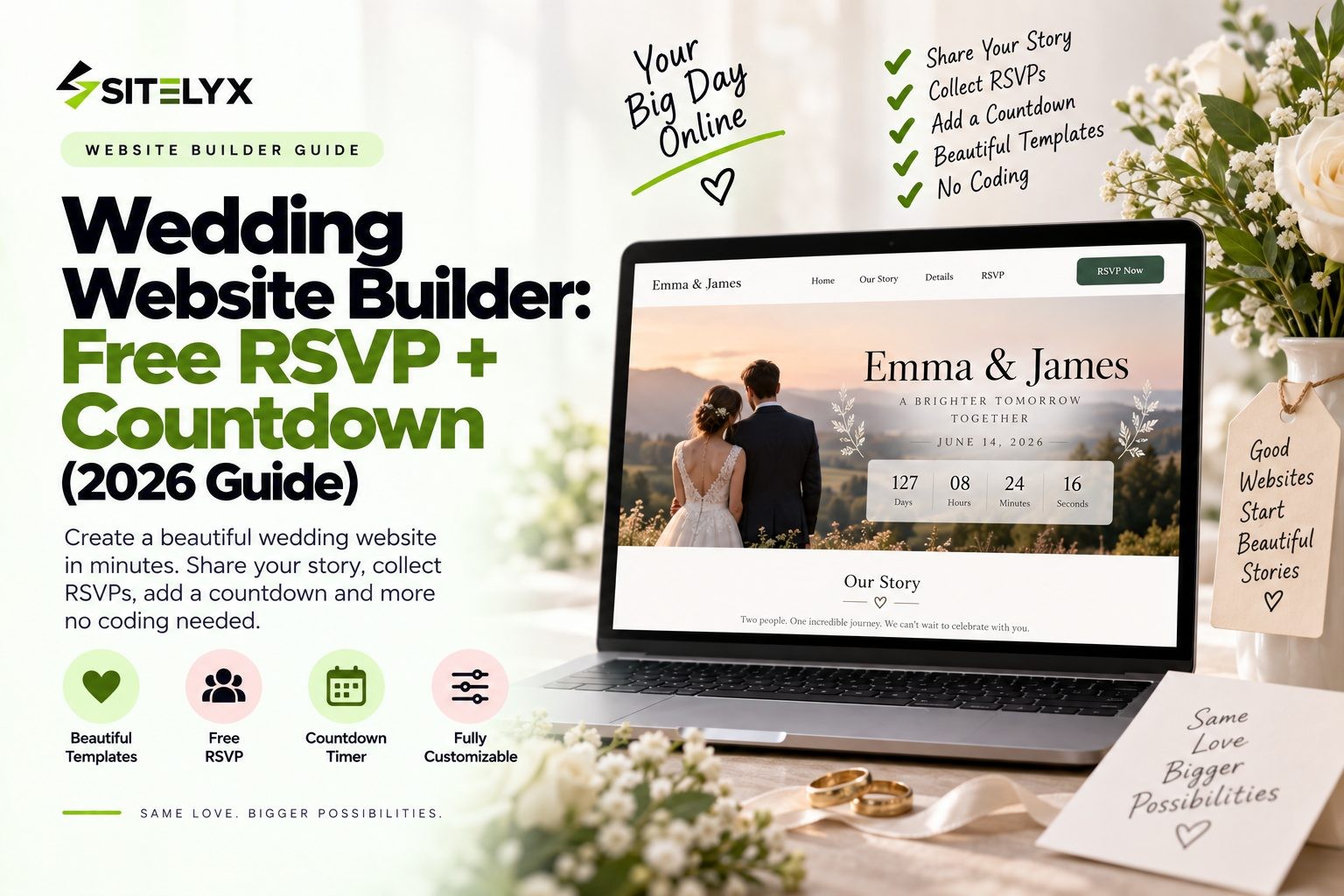
A good wedding website builder saves you from two things every couple dreads: paper RSVP cards that never come back, and a phone full of guests asking "what time does it start again?" One link can hold your date, schedule, venue, travel details and registry, and it can collect RSVPs for you.
Here's the catch. Nearly every wedding website builder says it's free, but free online RSVP and a countdown that actually shows on your website are much rarer than you'd expect. Some platforms keep the countdown inside a phone app. Others don't offer one at all.
In this guide, we compare the best free wedding website builders, show exactly which ones give you RSVP and a countdown, explain what costs extra, and walk you through building your wedding site step by step. We also cover options for couples who want their own branded site, and for wedding businesses that need a site of their own.
Quick Answer: Best Wedding Website Builders for RSVP + Countdown
- Best free option with RSVP and a countdown on your site: Joy
- Best for registry and RSVP together: Zola (free, 600+ templates, meal choices in RSVP)
- Best known: The Knot (free RSVP; its countdown lives in The Knot App)
- Best for matching stationery: Minted
- Best for design freedom: Canva
- Want your own branded site? Sitelyx Growth at $4 per month adds events and a custom domain
- Custom domain: usually an extra cost on free wedding platforms
What Is a Wedding Website Builder (and Do You Need One)?
A wedding website builder is a tool that helps you create a simple site with everything your guests need to know about your wedding. Most include pages for your story, the schedule, venue details, travel and accommodation, your registry, and an RSVP form that collects replies for you.
There are two main types. Dedicated wedding platforms such as Joy, Zola and The Knot are built only for weddings, so RSVP and registry tools come ready to use. General website builders such as Wix, Squarespace and Sitelyx can build any kind of site, which gives you more control over design and branding, although you may need to set up features like RSVP yourself.
Do you need one? It isn't required, but for most weddings it saves real time. Guests stop texting you questions, RSVPs come in faster and land in one list, and if plans change, you update one page instead of calling everyone. For destination weddings and large guest lists, a wedding website is close to essential.
Must-Have Features in a Wedding Website Builder
Before you compare platforms, know what you're looking for. These are the features that matter most.
Online RSVP
This is the big one. A good RSVP tool lets guests reply online, choose meals, note dietary needs and confirm plus-ones. It should also let you set a deadline and see or export your full guest list in one place, so you're not chasing replies across texts and emails.
A Wedding Countdown
A countdown builds excitement and gives guests a constant reminder of the date. There are three versions: a countdown built into the website itself, a countdown that only appears inside a platform's phone app, and a separate countdown widget you embed on your site. Only the first two are built in, and only the first one is visible to your guests.
Schedule and Event Details
List every event with times and full addresses, from welcome drinks to the ceremony, reception and farewell brunch.
Travel and Accommodation
Include hotel blocks, nearby airports, parking and directions, especially if many guests are traveling.
Registry Links
Some platforms build the registry in, while others let you link to stores. Either way, guests should find it easily.
Password Protection and Privacy
Your site may include your venue address and date, so look for password protection and the option to hide the site from search engines.
Mobile-Friendly Design
Most guests will open your link on their phone, so the site has to look and work well on a small screen.
A Short, Custom Link
A clean link is easier to print on save-the-dates. Free platforms give you a link on their own domain, and a custom domain usually costs extra.
Best Free Wedding Website Builders With RSVP + Countdown Compared
| Builder | Free? | Online RSVP | Countdown on your site | Custom domain | Best for |
|---|---|---|---|---|---|
| Joy | Yes | Yes | Yes, built in | Extra, typically $20 to $40/yr | RSVP plus countdown |
| Zola | Yes | Yes, with meal choices | Not listed on Zola's page | Extra, from $17.99 | Registry and RSVP |
| The Knot | Yes | Yes | No, the countdown is in The Knot App | Extra, $19.99 for 1 year | Familiar all-in-one planning |
| Minted | Yes | Yes | Not listed | Extra | Matching stationery |
| Canva | Yes | Yes, RSVP form | Not listed | Check Canva | Design freedom |
| Wix | Free plan with Wix ads | Via apps or forms | Via apps | Paid plans from $17/mo | Custom layouts |
| Squarespace | No, 14-day trial only | Via forms | Via setup | Included on annual plans (first year) | Design polish |
| Sitelyx | Free plan, no ads | RSVP form via Form Builder | Event countdown on Growth ($4/mo) | Growth ($4/mo) | Your own branded site |
The most surprising finding is the countdown. Of the major free wedding platforms, Joy is the one that clearly offers a wedding-day countdown section on the website itself. The Knot does offer a free countdown, but its own article explains that it lives in The Knot App, so it appears on your phone rather than on your wedding site. Zola, Minted and Canva don't list a countdown on their wedding website pages at all.
So if a countdown your guests can see matters to you, either choose Joy, check the editor of your preferred platform before you commit, or plan to add a countdown widget yourself.
The Best Wedding Website Builders, Reviewed
1. Joy: Best Free Option With RSVP and Countdown
Best for: couples who want free RSVP and a countdown on the site with no extra setup.
Joy states that its "wedding websites, planning tools, and registry are free." Its RSVP system lets guests respond, ask questions and get answers in one place, and its site includes a wedding-day countdown section that you can keep or remove from your dashboard.
Joy also includes a companion mobile app for guests, a registry with zero-fee cash funds, and privacy controls that let you password protect individual pages and control whether your event appears in search results. You can choose from hundreds of free templates.
What costs extra: a custom domain, which Joy says typically costs between $20 and $40 per year, or you can use a domain you already own.
Watch-outs: as with most free platforms, your site lives on Joy's domain unless you pay for your own.
You can see the full feature list on Joy's free wedding website and countdown page.
2. Zola: Best for Registry and RSVP Together
Best for: couples who want their registry and RSVP working side by side.
Zola says its wedding websites are "free to create and publish" with "no hidden fees or hurdles." You can choose from more than 600 templates, collect online RSVPs, ask for meal preferences, and add ceremony, reception, travel and accommodation details. Guests can browse your registry without leaving your site, and optional password protection keeps your homepage private.
What costs extra: a custom domain, with prices starting at $17.99. You can also redirect a domain you already own.
Watch-outs: Zola's wedding website page doesn't list a built-in countdown, so check the editor or plan on an embedded widget if you want one. Learn more about Zola's free wedding website with RSVP.
3. The Knot: Best-Known Free Wedding Website
Best for: couples already using The Knot for planning and vendor search.
The Knot says creating a website is "free, easy, and fun." You get more than 100 free designs, a custom RSVP page that collects the details you need, registry linking, and a free guest list manager. You can also customize your wedding website link on theknot.com for free.
What costs extra: a custom domain, at $19.99 for one year or $39.98 for two years.
Watch-outs: The Knot's countdown is part of The Knot App rather than the website, so guests won't see it on your site.
4. Minted: Best for Matching Stationery
Best for: couples who want their website to match their printed invitations.
Minted offers free wedding websites with online RSVP, designed to match its stationery collections. It also gives you a $50 credit toward wedding stationery when you use a Minted wedding website, which is a nice bonus if you're ordering invitations anyway.
What costs extra: a custom domain.
Watch-outs: Minted's page doesn't list a countdown, so check before you commit if that feature matters.
5. Canva: Best for Design Freedom
Best for: couples who like designing and want full creative control.
Canva's free wedding website builder lets you share details like your date and venue, and manage RSVPs and guest lists through an online RSVP form with settings to limit guest entries. You also get Canva's huge library of templates, photos and design tools, plus easy collaboration with your partner.
Watch-outs: Canva's page doesn't list a countdown or custom domain details, so confirm both in the editor.
6. Wix: Best General Builder for Custom Layouts
Best for: couples who want complete control over layout.
Wix offers wedding templates and its drag-and-drop editor lets you place anything anywhere. RSVP forms and countdowns are added through Wix apps and forms rather than being built in.
Watch-outs: the Wix free plan shows a Wix banner ad on every page and uses a long wixsite.com address. Removing ads and connecting your own domain starts at $17 per month on annual billing.
7. Squarespace: Best Design Polish (Paid Only)
Best for: couples who care most about a polished, elegant design and don't mind paying.
Squarespace templates are beautiful, however there's no free plan. You get a 14-day trial, during which your site stays private, and paid plans start at $25 per month on monthly billing. RSVP and a countdown need to be set up with forms and blocks rather than coming ready-made.
8. Sitelyx: Best Branded Option From $4 per Month
Best for: couples who want their own branded wedding site without a platform footer, and wedding businesses.
Sitelyx is a hosted website builder with a permanent free plan that it describes as ad free. The free plan includes Form Builder, which you can use to create a custom RSVP form, and it covers one site with up to 5 pages on a free address like yourname.sitelyx.co.
For a countdown, you'll need the Growth plan at $4 per month. It adds the Event module with a countdown, a custom domain, up to 20 pages, and access to the Sitelyx Wedding template, which Sitelyx describes as an "elegant wedding site with price plans, packages, gallery, RSVP forms, and event countdown." Everything is managed from one admin panel at /admin-home. Both paid plans come with a 10-day free trial with no card.
Watch-outs: the countdown isn't on the free plan, and the Wedding template's live demo is designed mainly for wedding businesses selling packages, so couples will want to adapt it. If you like the idea of countdown timers, our guide to building an event website with countdown timers shows how the Event module works.
Paid Wedding Platforms Worth Knowing
A few premium platforms appear often in wedding roundups. Riley & Grey is known for luxury designs and a high-touch service. Appy Couple focuses on a private guest app and photo sharing. WedSites offers all-in-one planning with invitations. Their pricing structures vary and change often, so check each platform's own pricing page before you decide.
How to Build Your Wedding Website With RSVP and a Countdown
Whichever wedding website builder you choose, the process looks much the same.
- Pick your builder. Decide what matters most: free RSVP, a countdown guests can see, registry, or your own domain.
- Choose a template. Pick one that matches your invitations or wedding colors, so everything feels connected.
- Add your core details. Include both your names, the date, ceremony and reception times, and full venue addresses.
- Set up your RSVP page. Add the questions you need, such as attendance, meal choice, dietary needs and plus-ones, and set a reply deadline.
- Add your countdown. Turn on the built-in countdown if your platform has one, or embed a countdown widget if it allows embeds.
- Add travel, accommodation and registry. List hotel blocks, directions and your registry links.
- Protect your privacy. Add a password if your platform offers it, and hide the site from search engines if you'd prefer.
- Choose your link. Use the free platform link, or connect a custom domain for a cleaner address.
- Test everything on your phone. Submit a test RSVP, check every link, and then share your site on your save-the-dates.
How to Set Up an RSVP Page Guests Will Actually Complete
The best RSVP forms are short. Ask only what you need: whether the guest is attending, how many people are in their party, their meal choice, and any dietary needs. An optional song request is a fun extra that guests enjoy.
To control plus-ones, list each invited guest by name so people can only RSVP for the names on their invitation. Many couples set the RSVP deadline around four to six weeks before the wedding, which gives caterers and venues time to confirm numbers. A gentle reminder a week before the deadline usually brings in the stragglers.
If you're not offering plus-ones, say so kindly and clearly. A line in your FAQ such as "Due to space, we're only able to accommodate the guests named on your invitation. Thank you for understanding!" works well, and naming guests on the RSVP form does the rest.
Adding a Wedding Countdown to Your Site
You have three ways to add a countdown. The simplest is a built-in countdown, which Joy includes on its wedding websites. The second is an app-based countdown, like the free one in The Knot App, which you can share on social media but which doesn't appear on your wedding site. The third is an embedded countdown widget from a service such as WeddingTimer or POWR, which works on builders that allow embedded code, so check that your platform supports it first.
On Sitelyx, the countdown comes from the Event module on the Growth plan. Whichever route you choose, set the countdown to your ceremony start time rather than midnight, so it reaches zero at the right moment. For more ideas, see The Knot's free wedding countdown app.
Free vs Paid Wedding Websites: What "Free" Doesn't Include
Free wedding websites are excellent value, but "free" usually has limits. A custom domain almost always costs extra, typically in the range of $15 to $40 per year. Free sites often carry the platform's name or branding, and some platforms use your site to promote their own marketplace or products. Design options can also be more limited than on a general website builder.
Paying makes sense if you want a branded domain that matches your names, a site without the platform's footer, or full control over design. For many couples, though, a free platform plus an optional custom domain is all they need.
When to Launch Your Wedding Website
A common approach is to have your wedding website live before you send save-the-dates, which for many couples is about six to twelve months before the wedding. For destination weddings, earlier is better, because guests need more time to book travel.
Put your website link or a QR code on your save-the-dates, then open RSVPs when your formal invitations go out. Keep updating the site as details are confirmed, such as the final schedule, transport and hotel block deadlines, so guests always have the latest information.
Wedding Website Builders for Wedding Businesses
Most wedding website builders are made for couples. But wedding planners, venues, photographers and caterers need a different kind of site, one that sells packages and books clients rather than collecting guest RSVPs.
This is where the Sitelyx Wedding template fits well. Its live wedding template demo shows how a wedding business can present services with tiered price packages, a gallery of recent weddings, testimonials and a blog. The Sitelyx Wedding template is available on the Growth plan at $4 per month, alongside appointments and a custom domain.
If you're a wedding photographer, our guide to the best website builder for wedding photographers covers portfolio galleries and client booking in more detail.
Frequently Asked Questions
Conclusion
The right wedding website builder comes down to what you need most. If you want free RSVP and a countdown your guests can actually see, Joy is the clearest choice. Zola and The Knot are strong free alternatives with RSVP and registry built in, although you'll need to check or add a countdown yourself.
If you'd rather have your own branded wedding site with a custom domain, RSVP form and countdown, Sitelyx's Growth plan does it for $4 per month. And if you run a wedding business, the Wedding template gives you packages, a gallery and testimonials ready to go. Build your wedding website on Sitelyx and get started today.
No Tags
Login to Leave a Comment
Related Blog

- 24 Sep 2026
- 2
- 0 Comment
Is Wix a Good Website Builder? An Outsider`s Review
Is Wix a good website builder in 2026? We weighed real user ratings, independent test data and Wix's own numbers, including where Wix genuinely wins.

- 24 Sep 2026
- 20
- 0 Comment
How Much Does It Cost to Build a Website in 2026?
What should a website cost in 2026? Survey data from 300+ agencies, real builder prices, line-item costs and three sample budgets from $0 to $20,000.

- 23 Sep 2026
- 20
- 0 Comment
How Long Does It Take to Build a Website? Real Numbers
How long does it take to build a website? Real 2026 survey data from 300+ web agencies, plus timelines for AI, DIY builders, WordPress and custom builds.
Comments (0)